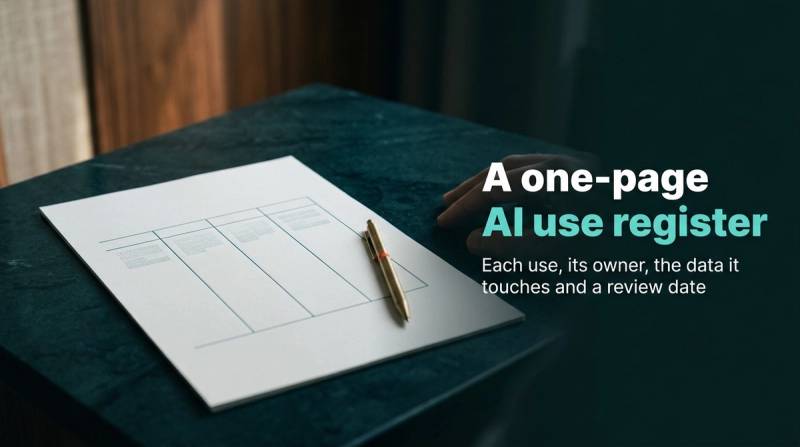
A one-page AI use register: each use, its owner, the data it touches and a review date
A hotel AI use register lists every AI touchpoint, its owner, data categories and review date. Build this one-page table to keep your policy factual and current.
AI draft · awaiting editorial review
Contents
Key takeaways
- A policy can only govern what the hotel can name, so the register is written first and the policy points at its rows.
- Each row names one person with the authority to stop the use, never a department.
- The data column lists categories such as guest name, room number or ID image, never the records themselves.
- A use whose review date has passed and whose owner cannot explain it is retired by default.
- Reporting an unapproved tool must carry no punishment, or the register will only list what managers already knew.
A hotel AI use register is a one-page table listing every place AI touches the hotel's work: the task, the named person who owns it, the data that goes in, what comes out and where it goes, and the date it is next reviewed. It records what happens today, including tools nobody approved.
Somewhere in your hotel today, a receptionist is pasting a guest's complaint into a chat window to get a politer reply, and nobody wrote that down. The register is the page where it gets written down once, with a name and a date beside it. After reading this, you will be able to build that page in an afternoon, find the uses nobody has mentioned, keep it current in five minutes a month, and retire a use when its time is up.
Why does an AI use register come before an AI policy?
Because a policy is a set of rules and a register is a list of facts, and rules written before the facts tend to describe a hotel that does not exist. The register takes an afternoon and needs no software: one page, one row per use, and a person willing to keep it current. It is descriptive, not aspirational. A row exists because the work happens, not because someone approved it; approval is a separate column or a separate conversation.
One page is a limit, not a formatting choice. If the uses do not fit, the hotel has more AI in it than it can supervise, and that is the finding worth acting on. The page also answers the question an owner, a business partner or a new IT lead will ask: where does AI touch our work, and who is responsible for each place?
The register gives the policy something to point at. A rule such as "no guest ID images in a chat tool" can be checked against named rows instead of standing alone as a sentence on a wall. And it makes the hotel's own software visible: when your existing software adds an AI feature, that feature is a use like any other, and it belongs on the same page.
What columns does a hotel AI use register need?
Five columns are enough: the use written as a task, its owner, the data that goes in, what comes out and where it goes, and the next review date.
Write the use as a task, not a product name. "Drafting replies to guest messages" survives a change of tool; a product name does not. The owner is one named person with the authority to stop the use. A department cannot answer a question.
The data column lists categories, not records: guest name, room number, stay dates, ID image, card data, health or mobility notes, staff personal data. If the honest answer is "nothing sensitive", write what the tool actually receives and check it against the screen. The output column says what leaves and where it lands: a draft a person edits and sends, a number pasted into the property management system, a text saved in a personal account, a rate that gets loaded. The review date is a real date, not the word "annually"; anything touching guest data gets a date no more than a quarter away. Two optional columns earn their space: status (in use, trial, retired) and the basis for the decision (a manager's approval, a contract clause, a setting in the tool).
A worked example of three rows
For example, a small city hotel might start with rows like these:
| Use, written as a task | Owner | Data in | Output and where it goes | Next review |
|---|---|---|---|---|
| Drafting replies to guest messages on booking sites | Reservations manager | Guest first name, complaint text, stay dates | Draft reply, edited and sent by a person | 12.03.2027 |
| Summarizing last night's occupancy and revenue for the morning meeting | Front office manager | Numbers from the hotel's own reports | Summary pasted into the morning briefing | 12.06.2027 |
| Screening front desk job applications | Human resources lead | CVs with names, addresses, birth dates | Shortlist read by a person | 12.03.2027 |
All three are illustrative. Note what each row avoids: no product names, no guest records, and no data category the tool does not actually receive. If you want a sense of which categories deserve the most care, read the guest details an AI assistant should not see.
How do you find AI uses staff have not reported?
Ask by task rather than by tool name, and say plainly that the purpose is visibility, not punishment. "Which parts of your week does something write, summarize or suggest for you?" gets answers; "do you use AI?" gets a shrug, because most people do not describe their own work that way.
Walk the work in order: reservations and guest messages, front desk and night audit, housekeeping scheduling, sales proposals, finance, marketing, human resources. Then follow the money and the browser: subscriptions on a company card, free trials, browser extensions, and the AI features already sitting inside software the hotel pays for.
Give it fifteen minutes per department, one question, and write what you hear in the person's own words before turning it into a row. The translation is the manager's job, not the staff member's. Record uses you intend to ban: a ban on something nobody has written down cannot be checked, and the tool simply moves to a personal phone. Expect the uncomfortable row to be harmless and the boring row to matter. A translation tool for guest messages is low risk; a photo of a passport sent to a chat window is not. The vocabulary around this, including what shadow AI and the other security terms hotel managers hear mean, is worth knowing before you start.
TipSay it out loud, twice
Hold the conversation away from the person's manager where possible, and repeat at the start that no one is being disciplined for reporting a tool. The first pass will miss uses; the monthly update is where they surface.
When should a use be retired, and how do you retire it?
Retire on a trigger, not on a feeling: the owner leaves, the data the use touches changes, the tool's terms change, or the review date arrives and nobody can say what the use is for.
Retirement is a row state, not a deletion. Set the status to retired, add the date and one line of reason, and keep the row for a year so the history stays readable. Withdraw access the same day: the account, the subscription, the browser extension, the shared login. Recover the data: export what the tool holds, delete it, and read the retention setting instead of assuming it. Tell the people who used it what replaces it, because a retired tool with no replacement comes back under a personal account within a month.
A use with no named owner at review is retired by default. That single rule keeps the page honest when everyone is busy. Some retirement questions are not technical: who owns the prompts and the outputs, whether the vendor uses your data for anything beyond running the service, and what happens to stored data when you leave. Those are contract questions, and they belong with your legal adviser.
Watch outCancelling is not deleting
Cancelling a subscription does not delete what the tool already stored. A shared login is the hardest access to withdraw, because nobody remembers who has it.
What happens in the monthly five-minute update?
One person opens the page, reads each row, and asks two questions: is this still true, and is the review date still right?
Five minutes, the same day each month, attached to a meeting that already exists so it does not need its own calendar entry. Add rows found since the last update; one line is enough, and a rough row today beats a perfect row that never gets written. Move every row whose review date has passed to the top of the page: the passed date is the signal, not the calendar. Write the update date at the top so the page shows its own age to anyone who opens it.
Escalate only what changed: new guest data, a new output that reaches a guest, a new owner, or a use that has quietly grown beyond its original task. Keep the meeting short on purpose. A review that takes an hour happens twice and then stops.
Checklist
- Open the page and read the update date aloud
- For each row, confirm the owner still works here
- Confirm the data categories are unchanged
- Confirm the output still goes where the row says
- Add any new use found in the past month
- Move passed review dates to the top
- Write today's date at the top
- Note the one row that needs a decision before next month
Where should the register live, and who reads it?
One page, one named keeper and one backup, stored where the people who must act on it can open it without asking.
Usually the IT lead keeps it and the general manager's office holds the copy. In a small hotel the same person does both, and that is fine as long as the name is written on the page. Store it as a shared document, not in a personal drive or a folder only one department can reach. Readers are the general manager, IT, the department heads named as owners, and whoever answers questions about guest data.
What never goes in the page: guest records themselves, passwords, access keys or vendor credentials. The register names categories of data, not the data. Date and version go at the top, and a printed copy in the general manager's folder is often read more than the shared file. When an owner or a business partner asks, share the relevant row, not the whole page, and say what the row does not cover. For the boundary between the page and daily staff habits, the rules on what staff may share with AI chat tools are the natural companion.
What to do next
Open a blank page today and write the first three rows from memory, then take the page to each department head and ask them to correct it. That single pass gives you the facts; the policy, the monthly five-minute update and the retirement rules all hang off the same page, and none of them work without it.
If you want an example of a use that arrives already documented: AI Otel's PMS assistant is built, it answers questions about a hotel's own property in plain language, carries out routine actions, and a person confirms anything sensitive. A hotel that runs it puts it on the page as one row, with an owner and a review date, like every other use. To see where it sits in the wider hotel operating system (the system: built, ahead of launch), read the platform overview, or request a briefing.
Frequently asked questions
What is the difference between an AI policy and an AI use register?
The register is a factual list of what is in use today; the policy is the set of rules that applies to it. Write the register first, because a rule can only be checked against something named. The policy then refers to rows rather than to general categories.
Should we ban the AI tools staff already use without telling us?
Record first, decide second. A ban on something nobody has written down cannot be checked, and the tool usually moves to a personal phone where you can see it even less. Once the row exists, the hotel can keep the use, restrict the data it receives, or retire it, and each of those is a decision someone can own.
Do AI features inside software we already bought belong in the register?
Yes, each feature as its own row, because the vendor can change what it does and how it handles data without asking you. The row records the task, the data the feature receives, where the output goes and the next review date, so a quiet change becomes visible at the next update.
Who should own the register in a small hotel?
One named person, usually whoever already handles IT and guest data questions, with the general manager reading it at the monthly update. The point is not the job title but that one person can answer for the page and can stop a use when a row says so.
How long should a retired row stay on the page?
About a year, with the retirement date and one line of reason. The row is what lets someone reconstruct why a tool was dropped and what replaced it; the reason matters more than the date, so write it while you still remember.