Decimal comma or decimal point: why exports, invoices and booking sites disagree on numbers and dates
Files carry characters, not meaning, so separators and dates can be misread. Learn to identify conventions and run five checks to prevent silent errors in hotel exports.
Contents
Key takeaways
- A separator is a convention, not part of the value: the file carries the characters, the receiving system supplies the meaning.
- A spreadsheet writes a CSV with the separator its operating system's regional format specifies, so two machines can produce two different files from the same data.
- Exchange dates as YYYY-MM-DD, which cannot be read two ways, and keep the local display format for the reports people read.
- A number stored as text is invisible in a total: it is counted as a row and skipped by the sum.
- Keep rate plan, room type and channel mapping codes in plain ASCII, and keep guest names in their own characters.
A number or a date in a file is a string of characters, and the convention that gives it meaning, the decimal mark and the order of day and month, is not stored in the file. Each system applies its own convention on arrival, so the same characters can mean 1.250,50 in one place and 1.25 in another. This article explains number and date formats in hotel exports, and how to check them before a load.
A hotel loads a nightly rate of 1.250,50 TL. The channel reads the same characters as 1.25. Nobody typed anything wrong: the file did not say which convention it was written in. After reading this, you will be able to name the convention each file uses, spot the four silent failures, and run five checks before the next export leaves the building.
Why does 1.250,50 become 1.25 in another system?
Because the separator is a convention, not part of the value. The characters travel between systems; the meaning is supplied by whichever system reads them.
A file stores characters, not numbers. The nine characters 1.250,50 contain nothing that says which one is the decimal mark. Two conventions are in daily use: the comma as the decimal mark with the point grouping thousands, and the point as the decimal mark with the comma grouping thousands. Both are correct where they are used.
The dangerous case is a separator followed by exactly three digits. 0,5 and 0.5 can only be read one way; 1.250 and 1,250 can be read two ways, as 1250 or as 1.25. The failure is silent, because both readings are valid numbers: no system raises an error and no column turns red. For example, a nightly rate of 1.250,50 TL read the other way becomes 1.25, a price a channel will accept and sell at until someone notices.
A CSV file, plain text with one record per line and a separator between fields, carries no header that declares its convention, so the reader has to be told. A spreadsheet writes it with the separator its operating system's regional format specifies, so two machines can produce two different files from the same data. The answer is not one convention for everything. It is knowing which convention each file uses, and keeping machine files and human reports apart.
Key pointThe convention is not in the file
A separator is a convention, not data. Decide the convention per file, write it down, and check one value end to end after every transfer.
Is 03/04 March or April?
It is whichever the writer meant, and the file does not say. Only a format that fixes the order of year, month and day removes the doubt.
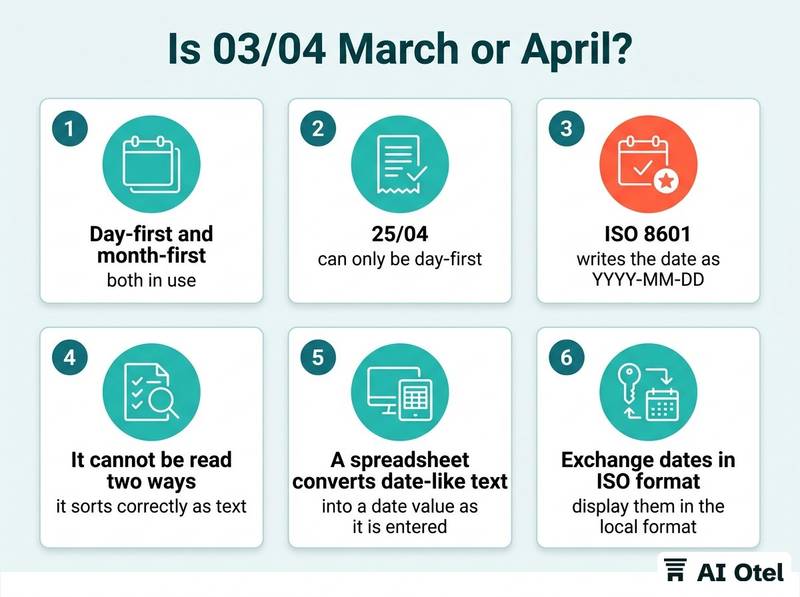
Day-first and month-first are both in use. A date whose first two numbers are 12 or below can be read either way, while 25/04 can only be day-first, so one file can be partly readable and partly not. ISO 8601 writes the date as YYYY-MM-DD, for example 2026-04-03. It cannot be read two ways, and it sorts correctly as text, which matters in a spreadsheet and in a database.
A spreadsheet converts date-like text into a date value as it is entered, then displays it in the local format. The cell can look different on two machines while holding the same value. Times add a second layer: a booking recorded late in the evening in one time zone can fall on a different calendar date in another, which matters when a booking date is compared with an arrival date.
The workable rule: exchange dates in ISO format, display them in the local format on the reports people read. Files from public sources carry their own conventions, so read the header and one data row before importing public tourism series into your own table.
Why do some numbers refuse to add up?
Because they are text that looks like a number. A sum skips text, so the total is short by exactly the rows that arrived as text.
The usual signs: the cell sits to the left, a small warning marker appears, and the column total is lower than the values you can see. The usual causes: a leading apostrophe, a trailing space or a non-breaking space, a currency symbol inside the cell, a thousands separator imported as a character, or a value pasted from a web page.
A sum ignores them, a row count includes them, and a lookup fails because the text 1250 and the number 1250 are not equal. Converting is a decision, not a keystroke: convert one column, then compare the count of numeric cells and the column total before and after. Do not fix values by retyping them; a retyped value is a new value with no link to the row it came from. Some values should stay text on purpose: room numbers, confirmation numbers and anything with a leading zero that must survive.
| What you see | What it usually means | What to check |
|---|---|---|
| Column total lower than the visible values | Some cells are text | Count numeric cells against total rows |
| A lookup returns nothing for a value you can see | Text on one side, number on the other | Compare the type, not the display |
| A date column sorts into the wrong order | Some dates read as text, others converted | Check the underlying value, not the cell |
| A rate arrives as 1.25 instead of 1.250,50 | Separators read the other way round | Check one rate end to end after the load |
| A guest name shows a question mark or two odd characters | The encoding was guessed | Open the raw file as text and look |
| Bill lines do not add up to the printed total | Each line rounded, then the total rounded again | Decide rounding per line or per total |
The same checks apply when checking a spreadsheet total against its source.
What does a currency symbol hide?
The currency itself. A symbol can stand for more than one currency, and an amount without a code is an amount whose currency you are guessing.
Put a three-letter currency code, ISO 4217, for example TRY, EUR or USD, in its own column next to every amount, and treat the symbol as decoration. TL, TRY and the lira sign are three ways of writing the same currency, and exports mix them. A dollar sign alone does not say which dollar.
A multi-currency bill needs three numbers, not one: the amount in its own currency, the rate used, and the amount in the hotel's base currency. Without the rate, the base amount cannot be checked later. Rounding has to be decided, not inherited: round each line and then add, or add and then round. The two produce different totals, and a channel that rounds differently will disagree by small amounts that accumulate.
Decimal places differ by purpose. Amounts usually carry two; exchange rates and unit prices often need more, and cutting a rate to two decimals changes the base amount. A rate load is where this becomes money, so test one rate plan with one room type before loading the rest, as covered in testing a rate load before it reaches the channels.
Watch outIt is not a display problem
For example, a nightly rate of 1.250,50 TL read as 1.25 is not a display problem. It is a price a channel will sell at until someone notices.
What happens to Turkish characters in an export?
They survive only when the file and the reader agree on the character encoding. When one side guesses, ç, ğ, ı, ö, ş and ü arrive as question marks or as two odd characters.
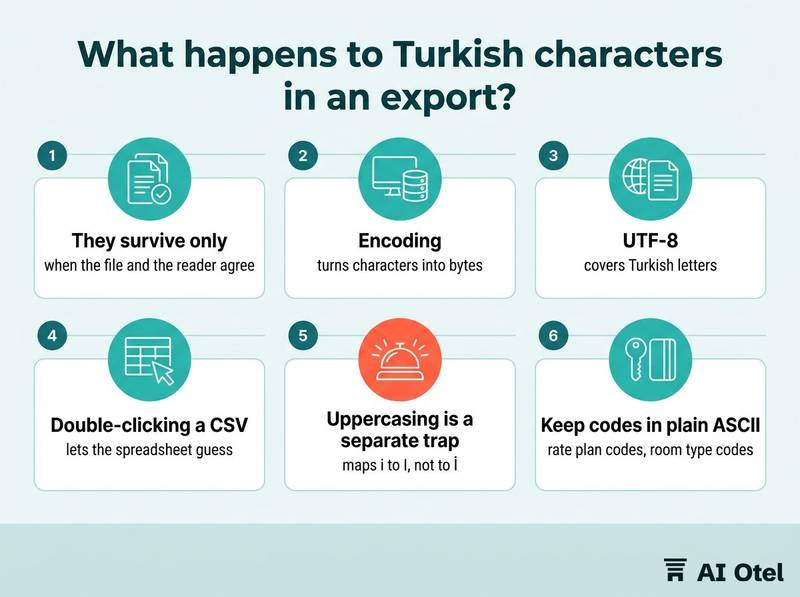
Encoding is the rule that turns characters into bytes. UTF-8 covers Turkish letters; older single-byte encodings cover them differently, and a file written in one and read in the other is garbled. Typical symptoms: two odd characters where ü should be, a question mark where any unmapped letter should be, or a name that looks right on screen and still fails to match.
Double-clicking a CSV lets the spreadsheet guess the encoding and the separator. Importing through the data import step lets you state both. Uppercasing is a separate trap: a spreadsheet's upper function maps i to I, not to İ, so matching on an uppercased name or code fails for exactly the records with Turkish characters.
Keep codes in plain ASCII: rate plan codes, room type codes, channel mapping keys and anything a partner system must match exactly. Put the Turkish name in the description, where a mismatch costs nothing. Keep guest names in their own characters: a name is not a key, and rewriting it to suit a system creates a data quality problem of its own.
What should you check before an import or a rate load?
Five checks, run in order, catch nearly every format problem before the file reaches the system. Order matters: a format check costs a minute before the load and a reconciliation exercise after it.
The settings that must agree: the regional format on the machines that export, the export profile in the hotel system, the import step in the spreadsheet, and the format the receiving channel accepts. A sample load is the only test that proves the whole path, because every step can be correct on its own and still disagree with the next one. Where a channel or a partner sets its own format, convert on the way out; never change the source data to suit a receiver.
Write one page per hotel: which convention machine files use, which the reports use, and who is allowed to change either. Record the convention next to the file, so the next person repeating the job does not have to rediscover it. The same discipline applies when moving hotel data out of the PMS into other tools.
ChecklistRun the five checks in this order
- Open the file as plain text and read the header row and one data row; confirm the field separator and the decimal mark with your own eyes.
- Confirm the date format, and convert the file to YYYY-MM-DD if it is not already.
- Count the rows and the numeric cells in each amount column, and compare both with the source.
- Load a small sample and reconcile one known value end to end: one rate, one bill line, one arrival date.
- Keep the original file unchanged and record the convention you used.
What to do next
These five problems are one problem seen five ways: the file carries characters and the reader supplies the meaning. Write the one-page format rule this week, naming which convention machine files use, which the reports use, and who owns the change. Then run the five checks on the next export before it leaves the building, and reconcile one value end to end rather than trusting the total.
Frequently asked questions
Should hotel reports use a decimal comma or a decimal point?
Both, in different places: a point in machine files that another system will read, a comma in reports a person will read. The rule that matters is that one file never mixes the two, and that the choice is written down where the next person can find it.
Why does Excel open our CSV in a single column?
Because the separator the spreadsheet expects, taken from the machine's regional format, is not the one the file uses. Importing through the data import step and stating the separator and the encoding avoids the guess; double-clicking does not.
How do we stop a rate loading as 1.25 instead of 1.250,50?
Keep the decimal mark consistent in machine files, load one rate plan with one room type first, and reconcile that single rate end to end after the load. A value that is wrong under the other convention looks perfectly normal in a list, so only the end-to-end check catches it.
Does changing the date format in a spreadsheet change the value?
No. A date value is a count of days from a fixed starting point; the format only changes how it is displayed. But the export writes whatever format is applied, so two people can export the same value in two different formats.
What is the safest date format for files we send to partners?
YYYY-MM-DD, the ISO 8601 form. It cannot be read as month-first, it sorts correctly as text, and it survives a round trip through a spreadsheet, a database and a partner system without a decision being made about it.