Reading an AI tool's privacy page in ten minutes: six questions a hotel manager can answer
Learn to read an AI tool's privacy page in ten minutes. Answer six key questions on data use, retention, and location to protect guest data effectively.
AI draft · awaiting editorial review
Contents
Key takeaways
- A privacy page answers six questions: improvement use, retention, who can see the input, deletion, processing location and what a business account changes.
- "As long as necessary" is not a retention answer; a usable answer gives a number and a unit.
- Silence on the page is not a no: record it as unknown and keep guest identifiers out of the tool until the vendor answers in writing.
- The privacy page is not the contract; the data processing agreement and the sub-processor list are the documents that bind the vendor.
- One register row per tool, with the date the page was read, turns six answers into something the hotel can show later.
A privacy page is the vendor's written statement of what happens to what you type into its tool. Read it for six things: whether your input improves the tool, how long it is kept, who can see it, how you delete it, where it is processed, and what a business account changes. One line each.
A guest writes a complaint about a noisy room. A receptionist pastes it into a chat tool to draft a politer reply, and the tool answers in seconds. The guest's name and room number now sit in a system the hotel does not run, and nobody has read the page that says what happens to them. This article gives you a ten-minute method: six questions to ask of any AI tool's privacy page, where each answer usually sits, what a usable answer looks like, and what to write down when the page says nothing.
Why read the page before anyone types a guest name?
Because the moment a guest's name, room number or complaint is pasted into a tool, the hotel has handed that text to another company, and the privacy page is the vendor's written statement of what that company does with it. The page is written for every customer the vendor has, not for a hotel, so you read it for six facts rather than for pleasure. Skim the headings, then use the browser's find function for the words improve, retain, transfer and delete.
There are three documents, not one. The privacy page says what the vendor does with data. The terms of use say what you may do and what the vendor promises. The data processing agreement is the contract that binds the vendor to the hotel's instructions. The privacy page is usually the one you can read without asking the vendor for anything.
The hotel answers for the guest data it holds; the vendor answers for what it does with the copy it receives. The page is where those two responsibilities meet, and it is the hotel's job to check that the second one is written down. A guest name with a room number and a complaint is personal data. A screenshot of the front desk screen, a scanned ID or a corporate rate sheet pasted in for reformatting is more than that.
Ten minutes is enough if you read by heading and stop at the six answers, and if you write as you read: one line per question, with the date and the version of the page. The page is not a promise that nothing goes wrong; it is the version of events the vendor has committed to in writing, which is exactly what you need when a guest or an auditor asks. Read it before the first paste, not after: a tool already in daily use by three receptionists is harder to restrict than one nobody has opened yet. If you want a fuller rule on what staff may type, see what staff may share with AI chat tools.
The six questions on one page
| Question | Where the answer usually sits | What a usable answer names |
|---|---|---|
| Is my input used to improve the tool? | "How we use data", or the model-training paragraph | The purpose, and whether it can be switched off in settings |
| How long is it kept? | The data retention section | A number and a unit, plus what happens after deletion |
| Who can see it? | Sharing, sub-processors, or human review | Categories of recipients and the reason each has access |
| Can I delete it? | "Your rights", or admin console documentation | The route, who may use it, and what it covers |
| Where is it processed? | International transfers, or "where we process data" | A country or region, and the safeguard for any transfer |
| What changes with a business account? | The enterprise page and the data processing agreement | Which terms replace the public page, and which admin controls arrive |
Read by heading, not by paragraph
Headings carry the structure of the vendor's thinking: use, sharing, retention, transfers, rights. Under each, one or two sentences do the work. If a heading has no sentence that answers your question, that is your answer: unknown, recorded with a date.
Questions 1 and 2: is my input used to improve the tool, and how long is it kept?
Look for a sentence that names the purpose, improving or training the model, and a sentence that gives a retention period in days or months; if either is missing, the answer is unknown, not no. Separate two sentences that look alike: "we use your content to provide the service" and "we use your content to improve or train our models". The second is the one that matters, and the words to search for are improve, train, develop and model.
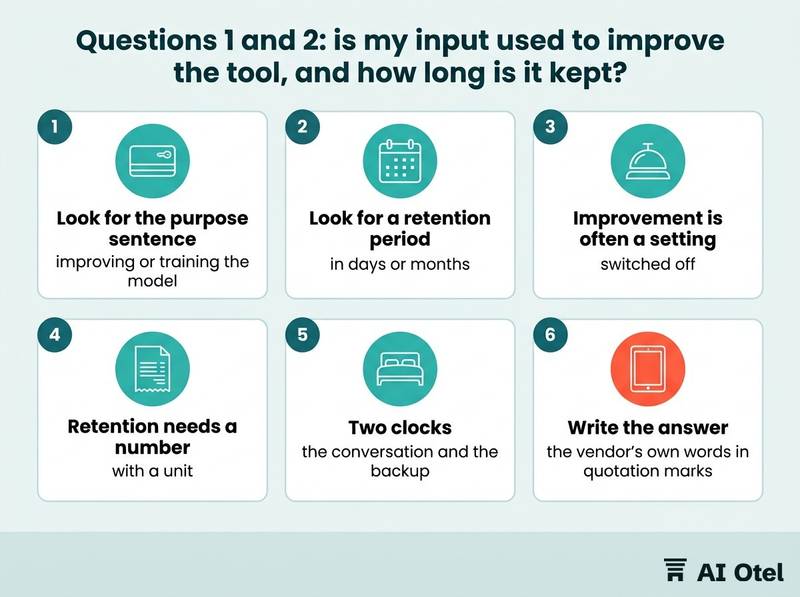
Improvement is often a setting as well as a sentence. A page that says improvement can be switched off is only useful once someone has opened the settings, changed it and written down who did it and when.
Retention needs a number with a unit. "As long as necessary" and "for the duration of your account" are not answers; "deleted within 30 days of a deletion request" is. There are two clocks, and the page often gives only one: how long the conversation is kept, and how long copies survive in logs and backups. Ask for both, in writing, if the page names only the first.
Deletion and retention interact. A delete button is worth little if the retention section says copies persist for a stated period, so read the two sections together before you promise a guest anything. For a hotel the practical stake is simple: a complaint, a staff disciplinary note or a rate negotiation pasted in for a draft reply stays in a system the hotel does not control for as long as that clock runs.
Write the answer as the vendor's own words in quotation marks, plus the date. A paraphrase loses the difference between "may" and "will", and that difference is the whole point of reading the page.
The difference between may and will
"May" names a permission the vendor has given itself; "will" names something that happens. A page that says data "may be used to improve our services" has told you the door is open, not that anyone walked through it. Record the word the vendor chose, not the word you assumed.
Two clocks: the conversation and the backup
The conversation you can see is one copy. Logs, abuse-review queues and backups hold others, and their clocks run separately. A page that promises deletion "from our systems" without naming backups has answered the easier half of the question.
Questions 3 and 4: who can see it, and can I delete it?
Look for the sharing or sub-processor section, which should name categories of recipients and the reason each has access, and for a deletion route with a stated period. Separate automated access from human access. A page that says staff may review content to improve the service or to check abuse is telling you that a person, somewhere, can read what the hotel typed.
The vendor's own suppliers, hosting, support and moderation, usually appear in a sub-processor list or a linked page. That list is the part of the page that changes most often, so note its date as well as its contents.
Deletion has a route: in the product, by email, or through an admin console. Find who may use it, whether one conversation or the whole account is covered, and what period the vendor allows itself. Deletion has three states: removed from view, removed from the live system, and removed from backups. Ask which of the three the page promises, because hotels tend to assume the third.
Deleting an account is not deleting one conversation, and deleting a conversation does not recall a message already sent to a guest. Decide what the hotel would do in that second case before it happens. Whatever the page says, the cheapest control sits with the hotel: keep guest identifiers out of prompts. A room number and a date carry the work; a name and an identity number do not need to travel with them.
Watch out"Delete" rarely means gone everywhere at once
Before relying on a delete promise, find the sentence about backups and logs, note the period it gives, and write that period into the hotel's own rule for how long a guest-related prompt may sit in the tool.
Questions 5 and 6: where is it processed, and what changes with a business account?
Look for a transfers or location section that names countries or regions, and for the business or enterprise page, which is where the contract, the admin controls and the different data terms usually sit. "We process data in the country where you are located" and "we may transfer data to other countries" are different answers. The second one needs the safeguard named next to it, otherwise the answer is only half given.
Where data is processed is not where the company is registered. A vendor with a local office, a local invoice and a local salesperson may still process everything elsewhere, so read the processing sentence rather than the address.
A business account usually changes four things: a contract that binds the vendor to the hotel's instructions, the improvement default, retention options, and admin controls over who inside the hotel may use the tool and what they may paste. It does not change everything. The rest of the public page still applies unless the business terms say otherwise, so treat the business terms as a separate document to read, not as a summary of the first one.
A business account is a decision before it is a purchase: name the person or role that owns the account, so that hotel work does not quietly happen on someone's personal login. Check whether the business terms override the public page or sit beside it. If the page does not say which one wins, that is a question for the vendor in writing, not a guess for the register. Record the location answer even when it is uncomfortable. An unknown location is a risk the hotel can only manage once it is written down and someone has decided what may still be typed. For the wider decision, see a business account checklist for hotel staff tools.
Registered office is not processing location
The invoice address tells you where the contract is billed. The processing sentence tells you where the text travels. A hotel that skips this distinction can find, after the fact, that a locally sold tool processes data elsewhere.
What a business account does not change
The sub-processor list, the transfer safeguards and the backup retention usually survive the upgrade. Read the business terms for what they change, and re-read the public page for what they do not. A hotel operating system that keeps compliance and data handling in one place can make this easier to manage, but the reading rule stays the same for any tool.
What do you do when the page does not answer?
You write unknown in the register, restrict what goes into the tool until the vendor answers in writing, and ask the question in a form that can be answered with a yes or a no. Ask in writing, one question per line, and ask for the reply by email. A support reply is a record the hotel can keep; a sales promise on a call is not.
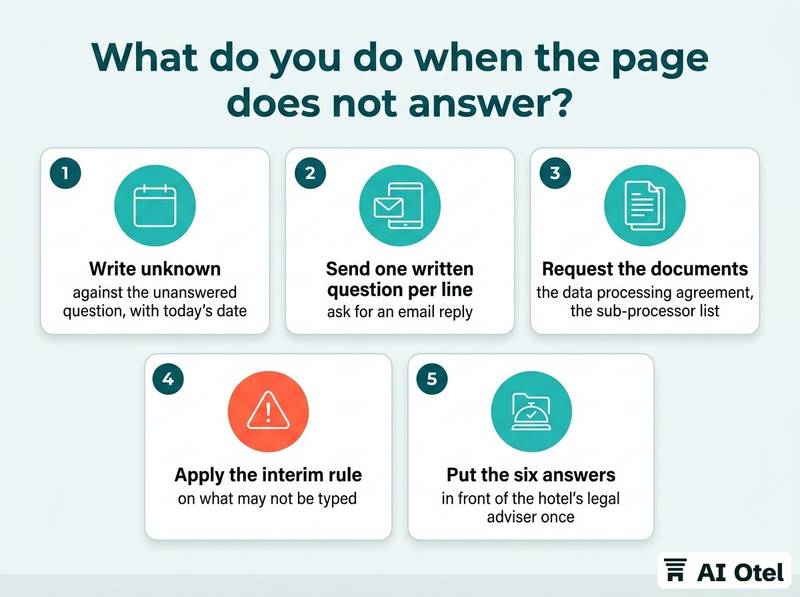
Ask for the document rather than the summary: the data processing agreement, the current sub-processor list, the retention schedule. A vendor that has these will send them quickly.
Set an interim rule the same day: no guest names, no identity numbers, no payment details, no corporate rate contracts until the answer arrives. The tool can still be used for work that carries none of these. Name who may use the tool in the meantime, by role, so the restriction is a hotel rule rather than one manager's habit that the next shift never hears about.
Treat "we cannot say" as an answer and price it into the decision. A tool with an unknown retention period is not unusable; it is unusable for guest data. Where the page stops, the contract and the hotel's own obligations begin. Take the six answers and the documents to your legal adviser once, together, rather than asking six separate questions over six months. Keep the date on everything. A page read in March is not the page in September, and the vendor is not obliged to tell you what changed unless the contract says so. For what to demand in the contract itself, see AI clauses in hotel software contracts.
ChecklistWhen the vendor answers, work through the list in order
- Write unknown against the unanswered question, with today's date.
- Send one written question per line and ask for an email reply.
- Request the data processing agreement, the sub-processor list and the retention schedule.
- Apply the interim rule on what may not be typed, and tell the staff who use the tool.
- Put the six answers and the documents in front of the hotel's legal adviser once, and record the decision that comes back.
How do you write the answers into the AI register?
One row per tool, six columns for the six answers, plus the date the page was read, the version you read and the role of the person who read it. The register is the sheet that answers which AI tools the hotel uses, for what purpose, and who owns each one; the privacy answers are its evidence column, not a separate document. The full method is described in an AI register for hotels, one sheet per use.
Quote where the answer is a quotation and write unknown where it is not answered. A guess in a register is worse than a blank, because a blank invites a question and a guess closes one.
Add the decision that follows the answer: allowed for which kinds of data, by which roles, with what restriction. The six answers are facts; the decision is the hotel's.
Set review triggers rather than a calendar reminder alone: a vendor notice of a change, a new use of the tool, a contract renewal, a move to a business account, a new person in the owning role. Keep a dated copy of the page, saved as a file, because pages change without notice and the version you read is the version you relied on. Give each row an owner by role as well as by name, so the register survives a staff change and the next person knows whose job the review is.
TipThe one-line entry to copy
Tool name · what the hotel uses it for · improvement use: yes, no or unknown · retention: number and unit · human access: yes or no · deletion: route and period · processing location: country or region · account type: business or personal · page read on date, by role.
What to do next
Pick the one AI tool the hotel already uses, open its privacy page, and spend ten minutes filling six lines: improvement use, retention, who can see the input, deletion, processing location, account type. Put those six lines, the date and the role of the reader in the register, then decide what may be typed into that tool until an unanswered question comes back in writing. The page is read once per tool and again whenever it changes; the register is what makes the reading count. If the hotel wants a single place where these rules and the guest data they protect live together, look at how a hotel platform with compliance built in approaches the problem.
Frequently asked questions
Is a free AI chat account safe for hotel work?
A free or personal account is usually governed by the consumer terms, where the improvement default and the retention rules are the vendor's choice rather than the hotel's. The practical rule: no guest data on a personal login. If the hotel wants to use the tool for real work, move to a business account and read its terms as a separate document.
The privacy page is only in English and full of legal wording. What do I do?
Read only the six sections, using the browser's find function for improve, retain, transfer and delete, and write the answers in the hotel's own words with the vendor's sentence quoted beside them. Ask the vendor for the data processing agreement, which is usually shorter and more specific than the public page. If a clause still decides something for the hotel, have it read once by someone qualified rather than guessing.
Do we have to tell guests that we use AI tools?
What the hotel tells guests belongs in its own privacy notice, and the six answers are the raw material for the paragraph about tools. Whether a specific use needs to be disclosed, and in what words, depends on the hotel's own case and should be settled with its legal adviser, not copied from another hotel's notice.
How often should we re-read the page?
When the vendor notifies a change, when the hotel starts a new use, at contract renewal, when the account type changes, and when the person who owns the tool changes. Keep the dated copy of the version you read, so a later question can be answered with the text that was in force at the time.