One master content sheet for every channel: descriptions, facilities and photos kept in sync
One approved file with a version date and owner keeps descriptions, facilities and photos in sync across all channels. This guide shows how to build the sheet, cut channel versions without losing facts, and run the update routine so every listing matches the property.
Contents
Key takeaways
- One approved file with a version date and a named owner beats five extranets that are each half updated.
- Keep one full description and cut the shorter channel versions from it in a fixed order, so the same facts survive every trim.
- The facility list must say what is free, what costs extra, who may use it and when it is open.
- Room names and bed types on the sheet must match the room types mapped in the channel manager, or a guest books a room the front desk does not recognize.
- A change is finished when every channel has been checked against the new version, not when the sheet is saved.
A hotel master content sheet for every channel is one approved file holding the hotel's description, facility list, room descriptions, policies and photo set, each with a version date and a named owner. Every channel update is copied from it, so the website, the booking sites and the agencies describe the same property in the same words.
A guest reads the booking site, then the hotel's own website, then an agency page, and finds three different lists of facilities and two different bed types for the same room. The cause is rarely a careless writer. It is that no single approved text ever existed. This article shows what goes on one master content sheet, how to cut channel versions from it without losing facts, and how to run the update routine so every channel says the same thing.
What goes on a hotel master content sheet, and where does it live?
The sheet holds every piece of text and every image a channel can ask for, in one approved version, with a date and an owner at the top. It lives in one shared place the reservations, marketing and front office teams can all open.
Two fields sit at the top of every page: the version date and the name of the person who approved it. A sheet without these is a draft. At the bottom, keep a change log: what changed, who asked for it, and the date it went to each channel. Keep one approved version per language the hotel actually sells in, because a translation is a version and needs the same approval as the original.
The sheet is not the channel manager. The sheet holds words and images; the channel manager holds rooms, rates and availability. Confusing the two is how a renamed room type ends up selling under its old name. The same approved facts are also what an agency or an AI assistant repeats back to a traveler, so the sheet is the first place to fix a wrong claim, not the last. The same idea applies when you prepare a hotel fact sheet for AI assistants.
ChecklistChecklist of what the sheet must contain
- Hotel description at four lengths: full, standard, short, one line
- Facility list, each line marked free or paid, with access rules and season
- One description per room type, with bed setup and maximum occupancy
- Policies: children, pets, deposit, cancellation, check-in and check-out, payment methods
- Photo set with captions and a shot list
- Address, contact details and languages sold
- Version date and approving owner at the top
- Change log at the bottom
How long should a hotel description be for each channel?
Keep one full approved description and cut the shorter channel versions from it in a fixed order, so the same facts survive every trim. Each channel sets its own field length, and the hotel confirms that limit in the channel's own extranet at the moment of upload.
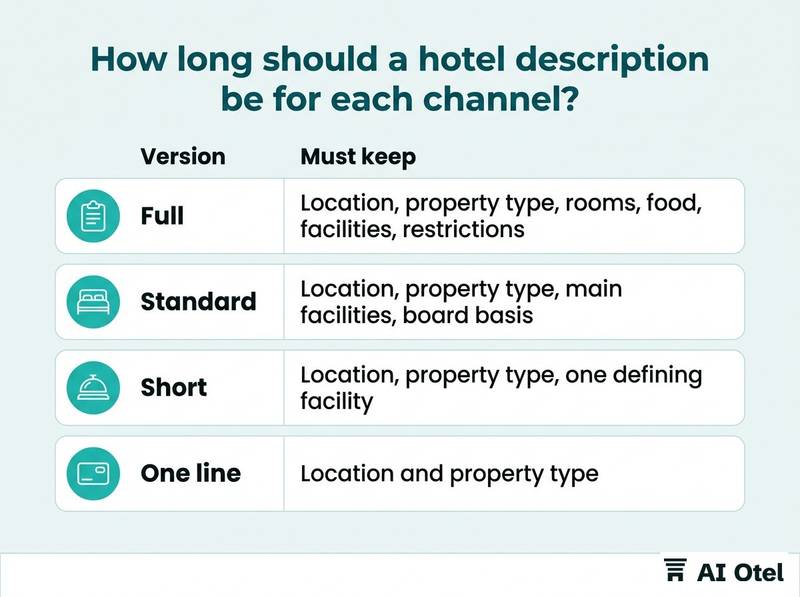
Write the full version first: where the property is, what it is, the rooms, the food, the facilities, and who it suits. Use facts a guest could check on arrival, not adjectives. Then apply a fixed cut order: drop atmosphere sentences first, then secondary facilities, then the closing line. Never drop the location, the property type, the board basis or a restriction.
Each short version must work alone, because a reader who sees only the one-line version still needs to know where the hotel is and what it is. The trims must not drift into different claims: if the full version says seasonal outdoor pool, the short version cannot say pool. Keep the versions side by side on the sheet rather than one text edited in place, because fields change and a channel that accepted a long text last year may ask for a shorter one this year.
| Version | Where it is used | Must keep | May drop |
|---|---|---|---|
| Full | Hotel website, agency fact sheet, direct mail | Location, property type, rooms, food, facilities, restrictions | Nothing |
| Standard | Booking site overview | Location, property type, main facilities, board basis | Atmosphere sentences, secondary facilities |
| Short | Channel summaries and listings | Location, property type, one defining facility | Most facilities, closing line |
| One line | Directories and assistant answers | Location and property type | Everything else |
The sheet is not a ranking tactic. Its job is that whatever a channel displays is true and matches every other channel.
Facility list: what exists, and what costs extra?
List every facility with three answers attached: is it free or paid, who may use it, and when it is open. A facility listed without those three answers is a complaint waiting at the front desk.
Paid extras need their price or their pricing rule on the sheet: spa entry, gym classes, parking, airport transfer, late check-out. A guest who finds a charge the listing did not mention disputes it at the desk, and the desk has nothing to point at. Season and hours belong to the facility, not to a footnote: an outdoor pool open from May, a beach shuttle that runs every hour, a restaurant closed on Mondays.
Write the access rules too: adults-only areas, age limits, and whether guests from outside the hotel may use the pool or the beach. Separate what is in the room from what is on the property, because minibar, kettle, balcony and sea view are room facts, not hotel facilities. A facility list is a subtraction exercise as much as an addition one: remove what has closed, what is being renovated and what the hotel no longer offers. Use the same wording as the hotel's own website, because a facility described two ways reads to a guest as two different facilities.
Watch outPaid facilities read as free
A spa or a car park listed as a facility without the word paid is read as free. The guest arrives, is asked for a fee, and the argument happens at the counter, where the hotel has already lost it. Write the charge or the pricing rule next to the facility name on the sheet, and copy that sentence to every channel.
Room descriptions and bed types: how do you keep them identical everywhere?
Use one room name and one bed description per room type, and make the channel manager's room types carry exactly the same names. Everything else follows from that match.
Use a fixed bed vocabulary: double, twin, queen, king, sofa bed, extra bed. Say which beds are in the room and how many, not comfortable bedding. State capacity as maximum adults, maximum adults with children, and whether an extra bed is possible and at what charge. Give size in square meters only if measured, and name the view exactly: sea, garden, land or pool. For connecting, adjoining and accessible rooms, say which room types offer them, not on request alone.
Room names must match the room types mapped in the channel manager. A guest who books a name the front desk does not recognize is a problem at check-in, not at booking. The details are in channel manager mapping: room types, rate plans and testing. Include at least one photo per room type that shows the actual bed setup, because a twin room photographed as a double creates the complaint before the guest has unpacked.
Policies: children, pets and deposits, written by the hotel
Write each policy as a rule with a condition or a figure, in the hotel's own words, and use the same sentence on every channel. Where the hotel has no written rule, write one before publishing anything.
Cover children with age bands, whether they stay free in the parents' room, the breakfast charge, and cot availability. Cover pets with allowed or not, size or breed limits, the fee, and where on the property they may go. The cancellation and no-show rule must be the one the hotel actually applies, matching the rate plan sold next to it. Write the check-in and check-out times and what the hotel does with a guest who arrives outside them, the payment methods accepted, and the currency the hotel quotes in.
The front desk should not be inventing policy at two in the morning. If the sheet does not answer a question, the answer will differ by shift and by channel. Agencies and tour operators expect exactly this set of answers in one place, as covered in the hotel fact sheet agencies and tour operators expect on one page.
Key pointDeposit is not advance payment
A security deposit is held against damage or extras and given back at the end of the stay. An advance payment is paid ahead and counts toward the stay. They are two different things and must never share one word on the sheet, because the guest reads that word as a charge.
Photo set and caption rules
A photo set is a fixed list of shots, each captioned with what it actually shows, so a channel cannot pair the wrong image with the wrong room type.
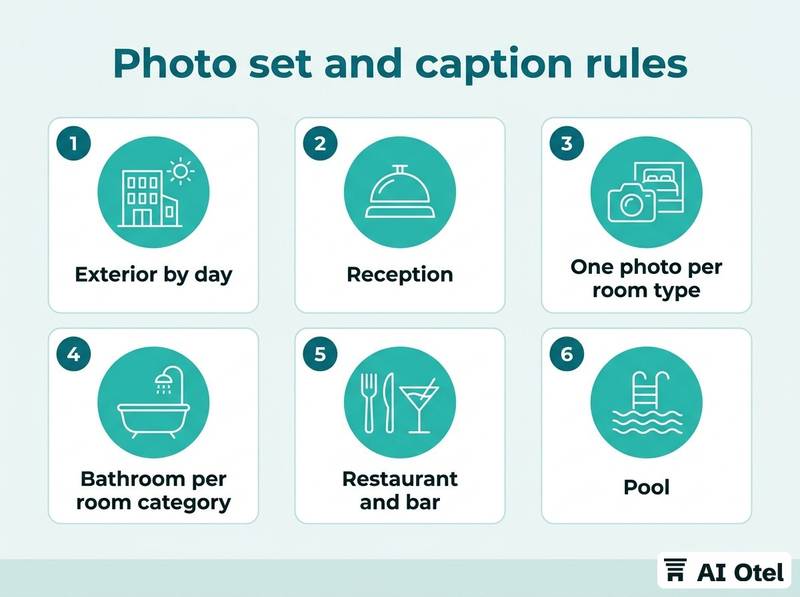
Order matters, because the first few images decide what a guest sees first: put the property and the main room type at the front of the set. Captions name the room type or the facility, and say when an image is illustrative, for example a render or a photo of a similar room. Use no stock photography, no photos of a neighbouring property, and no photo from a season in which the hotel is closed. Keep one high-resolution original per shot and let each channel resize it, because a small file enlarged by a channel looks worse than no photo. People in photos, and guests' faces in particular, need permission before the image goes to a channel. Retire old photos: a picture of the lobby from before the renovation is a false claim, and it is the one a guest will remember.
ChecklistShot list checklist
- Exterior by day
- Reception
- One photo per room type showing the bed setup
- Bathroom per room category
- Restaurant and bar
- Pool, with season noted
- Spa and wellness
- Meeting or event space
- View from a named room type
- Access and parking
- Each item captioned, dated and marked with the room type or facility it shows
What is the update routine after each change?
A change is finished when every channel has been checked against the new version, not when the sheet is saved. One owner sends the change out and logs where it has landed.
The triggers are concrete: a renovation, a new facility, a change in the price of a paid extra, a policy change, a room rename, a new photo set, a seasonal closure. One named owner sends the change to every channel on the same working day and records the date and the channel in the change log. Check each channel the way a guest would: open the listing, read the facility list, look at the room photos, read the policy section.
Keep the previous version until the new one is confirmed on every channel, because channels accept updates at different speeds and the sheet needs a short overlap rather than a single switch. Tell the front desk and reservations what changed, so the phone script matches the website. Once a quarter, walk the property with the sheet in hand and read it against what is actually there; this catches the changes nobody reported. The same approved facts are what an agency or an AI assistant repeats, so a correction made only on the hotel's own website is a correction made in one place out of several. If you are preparing to sell on booking sites for the first time, start from what to prepare before you go live, and remember that availability and rates flow through a separate layer, the channel manager side of a hotel distribution setup.
What to do next
Build the first page of the sheet this week: the approved description, the facility list with free or paid on every line, one description per room type, the policies and the photo list, with a version date and one owner at the top. Then take the facility list and walk the building with it. The sheet only works as a habit: every channel update starts from it, every change is logged in it, and every quarter it is checked against the property itself. If you are also reviewing the software that holds your rooms and rates, look at what a hotel operating system covers, so words stay on the sheet and inventory stays in the system.
Frequently asked questions
Should the master content sheet be in English or in Turkish?
Keep the working version in the language the team uses day to day, then one approved version per language the hotel sells in. Each language version carries its own version date and approver, because a translation can drift from the original. A channel may require a specific language for a specific market, so the sheet holds the versions side by side rather than one text translated on the fly.
Who should own the master content sheet?
One named person, usually in reservations or marketing, with the front office feeding changes in. The owner approves the wording and sends it to channels; a committee approves nothing on time. The name sits at the top of the sheet next to the version date, so anyone can see who to ask.
How often should the sheet be updated?
After every change, driven by the trigger list: renovation, new facility, price change on a paid extra, policy change, room rename, new photos, seasonal closure. A quarterly walk through the property with the sheet in hand catches what nobody reported. A fixed calendar does not replace the triggers.
Does a complete content sheet improve ranking on booking sites?
Ranking is set by each channel under its own rules and is not something this sheet controls. The sheet's purpose is that whatever a channel displays is true, complete for the fields that channel asks for, and identical across channels. Read each channel's own guidance for what it wants, and treat the sheet as the place the answers are kept.
What should the sheet say about a facility that is closed for the season?
Either remove it from the list or state the season next to it, in the same words on every channel. A pool listed without a season reads as open in January. The same rule applies to a facility under renovation: it comes off the list until it is back in service.