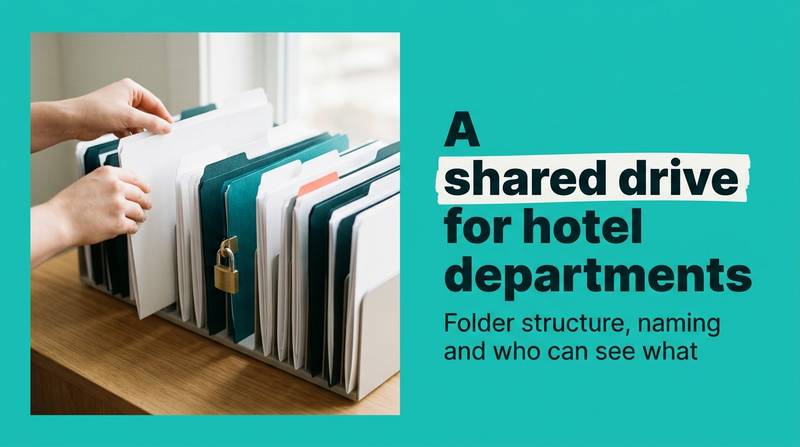
A shared drive for hotel departments: folder structure, naming and who can see what
A hotel shared drive works when files live in one place, follow a naming rule and respect role-based access. This guide shows how to build that structure, archive old files and handle staff changes.
AI draft · awaiting editorial review
Contents
Key takeaways
- Two top levels, one by department and one by shared topic, stop the same document being saved in three places.
- A naming rule that starts with the date and the document type sorts itself and survives staff changes.
- Access belongs to a role, not to a person: when someone leaves you remove them from the role, not from forty folders.
- Nothing is deleted at the year end: closed years move into a read-only archive so a search returns current documents.
- One written page, one named owner and one 30-minute meeting are enough to start; the structure improves as people use it.
A hotel shared drive is one storage area the hotel owns, reached with each person's own work account, where a document lives once and is found by everyone allowed to see it. Build it with two top levels, one by department and one by shared topic, add a naming rule that puts date and document type first, and give access to roles rather than to people.
The signed agency contract exists in three versions: one on the front office manager's desktop, one in a chat thread, and one in a folder nobody can find. The general manager asks for the signed copy and the answer takes an afternoon. After reading this guide you will be able to draw the hotel shared drive folder structure on one page, write the naming rule, set the access table, and run the meeting that puts it in place.
Why do hotel files end up on personal desktops and in chat?
Because nobody chose where files should live, so every person chose for themselves. The desktop is where the save dialog opens, and chat is faster than any folder.
The default save location on any computer is that one machine's desktop or documents folder. It is not a decision, it is a habit, and it is invisible until the person is away. Chat is faster than a drive, so a signed contract arrives as an attachment and stays there. Chat search is built for conversation, not for documents, and attachments are hard to find six months later.
Without a naming rule, two people save the same document under two names, and neither can find the other's copy. The third person then makes a fourth version. Fear of overwriting pushes people to keep private copies. A written rule that says where the master copy lives removes the fear and the copies at the same time.
When the person who kept the folder leaves, the folder leaves with them, unless the hotel has a rule that says files belong to the role. Storage alone changes nothing. A shared drive works only when three things are true together: one place, one naming rule, one access table.
What should the top level of a hotel shared drive look like?
Two top levels: numbered department folders for each department's own working files, and numbered topic folders for documents that several departments need. A document lives in exactly one of them.
Number the top folders, for example 01 to 09 for departments and 90 to 99 for shared topics. The numbers are not decoration: they keep the order stable when a folder is renamed or added. Keep the depth to three or four levels. If a path needs five, the naming rule should be carrying that detail instead, and deep trees hide files as effectively as desktops do.
Put a short readme file at the top level: what each folder is for, who maintains it, and where to ask when a document does not fit. Number the topic folders by what the hotel actually signs and renews: contracts, licenses and certificates, insurance, projects, brand material, meeting minutes, emergency plans, supplier lists.
Department folders
The department folder holds the department's own working files: shift handovers, checklists, templates, rotas. If the sales team needs the agency contract, they open the contracts folder. They do not get a copy in sales, because the copy is what starts the drift.
Shared topic folders
The topic folder holds the document that outlives the department: the contract, the certificate, the insurance policy. These are the documents a hotel must be able to produce years later, so they live outside any one team's working files.
| Folder | What belongs there | Who maintains it |
|---|---|---|
| 01 Front Office | Shift handovers, correspondence templates, group lists | Front Office manager |
| 02 Housekeeping | Room standards, linen and laundry records, checklists | Executive housekeeper |
| 03 Food and Beverage | Menus, recipes, supplier orders, banquet sheets | F&B manager |
| 04 Sales and Marketing | Agency and corporate agreements, campaign material, photo library | Sales manager |
| 05 Finance | Invoices, bank correspondence, monthly reports | Finance manager |
| 06 People | Staff files, contracts, training records, rota templates | General manager and HR |
| 07 Maintenance and IT | Service contracts, equipment manuals, certificates, network notes | Maintenance and IT |
| 90 Contracts | Every signed contract, one copy, whichever department negotiated it | Office manager |
| 91 Licenses and certificates | Permits, inspections, insurance policies | Office manager |
| 99 Archive | Closed years, read-only | Office manager |
What naming rule makes files sort themselves?
Put the date first in year-month-day, then the document type, then the subject. Read left to right, the name says when, what and about what, and the folder sorts itself by date with nobody touching it.
The formula: date, document type, subject, and a version marker only when two versions must exist side by side. For example, 2026-03-14 Contract Acme Tours signed.pdf. Fix a short list of document types and use it the same way everywhere: Contract, Invoice, Report, Minutes, Policy, List, Plan, Letter. Ten or fewer, because a long list is not used.
Ban the words final, final2, last version and new. If a document changes, the date changes. A name that needs a conversation to explain is a name that will be duplicated. No personal initials in the file name: the file belongs to the hotel, not to the person who typed it, and initials are exactly what makes a document disappear when that person leaves.
Agree one way for Turkish characters and spaces and keep to it. A drive that mixes both produces two families of the same file, and search returns one of them. Apply the rule to email attachments as well, or the drive slowly fills with document.pdf and IMG_2231.jpg. The same discipline that keeps data entry standards in the PMS clean applies here: one convention, written down, checked at the door.
TipThe naming formula in one line
YYYY-MM-DD, document type, subject, version marker if needed. For example: 2026-03-14 Contract Acme Tours signed.pdf. The date goes first so the folder sorts itself, and final, final2 and new are not allowed.
Who should see contracts, staff files and financial reports?
Give access to roles, not to people, in three tiers: open to all staff, department only, and named roles only. Contracts, staff files and financial reports sit in the third tier.
Create groups named after roles, for example Front Office, Housekeeping, Finance, Department heads and General Manager, and give folders to groups. A person joins a group and inherits the right access. Tier one, open to all staff: procedures, forms, menus, emergency plans. Tier two, department only: working files and drafts. Tier three, named roles only: contracts, staff files, financial reports.
Default to view, not edit. Most people need to read a document, not change it, and edit rights are the ones that create versions. Review the table once a year and every time a role changes. Then protect the account that reaches the drive with two-step sign-in for hotel staff, because a shared drive behind one password is a shared password.
| Document | Can edit | Can view | No access |
|---|---|---|---|
| Contracts with agencies and suppliers | General manager, office manager | Finance, head of the department concerned | All other staff |
| Staff files | General manager, HR | The person's own file on request through HR | Department heads and all other staff |
| Financial reports and bank correspondence | Finance | General manager | All other departments |
| Rate agreements and price lists | Revenue or sales head, general manager | Sales team, Front Office | Kitchen, housekeeping |
| Procedures, forms and menus | Department head | All staff | Nobody excluded |
| Maintenance contracts and certificates | Maintenance head, general manager | Front Office | Kitchen, housekeeping |
How do you archive files without losing them?
Nothing is deleted at the year end. The closed year moves into a read-only archive folder named after the year, so the live drive returns current documents and the old ones stay where they can be found.
What stays live: the current year, plus anything still in force, such as a contract that runs past the year end or a certificate that has not expired. Everything else moves. One person moves the files, on a date written in the calendar, and publishes a short list of what moved and where it went.
Set the archive to read-only. A read-only archive is what makes a search in the live drive useful, because it stops returning five years of history. Before moving, check the naming: a year of badly named files is the last moment it can be fixed cheaply, and the archive is where bad names become permanent.
If a document must be destroyed, that decision belongs to the person accountable for it, not to whoever tidies the folder. The drive owner moves files and does not delete them. Keep the archive inside the same drive and the same permission groups. A separate archive drive is a second place, and a second place is where documents get lost.
ChecklistThe yearly clean-up
- Pick a date in the first two weeks of January and put it in the calendar
- List what is still in force and keep it live
- Rename the files that do not follow the rule
- Move the closed year into the archive folder
- Set the archive to read-only
- Publish the list of what moved
- Check that the access groups still match the current org chart
What happens to a leaver's files and access?
Files belong to the role, so the manager moves the person's working files into the role folder before the last day, and access is removed on the last day. The groups keep the folders; the person leaves the groups.
Do the file move first and the access removal second. If access goes first, the manager loses the ability to see what is in the folder before handing it over. Ask the leaver, in the last week, which files only they know about. That conversation finds more than any search, because people remember the document they never saved properly.
Write a handover note in the role folder: what is in progress, where it lives, who takes it over, and what is waiting on someone else. Agree before the last day what the person takes with them and what stays. The same list applies to a contractor, an intern and a seasonal worker, with a shorter timeline and the same order of steps. The reservation mailbox, the drive and the PMS account are one handover, not three: split across three days, one of them is forgotten. The same principle sits behind closing a leaver's access on the same day.
Watch outA personal folder inside the hotel drive turns a leaver into a loss
The work leaves with the person and nobody notices until the next person needs it. Files belong to the role from the first day, not from the last.
How do you train the team in one meeting?
One 30-minute meeting, one written page, one demonstration with a document the team wrote last week. Not a training program, and not a folder of instructions nobody opens.
Show three things only: the top level, the naming rule applied to a real document, and where each department's own folder sits. State plainly what happens to desktop files: they are copied into the drive on a set date, and after that date the desktop copy is not the master.
Give one rule of thumb for where a document goes: if two departments need it, it goes in the topic folder; if one does, it goes in the department folder. Name one owner and one deputy, with a mailbox people can ask. A drive without an owner is a drive that drifts back to desktops within a year.
Publish the one page where people already look, on the staff noticeboard or the intranet home page, not inside the drive. Check after two weeks: open the drive, look at the twenty newest files, and see whether they follow the rule. Fix by renaming, not by scolding.
What to do next
Write the one page this week: the folder map, the naming formula and the access table, on a single sheet, signed by the general manager. Then book the 30-minute meeting. Structure, naming, access, archive, leavers and training are one system: the folder map decides where a document lives, the naming rule decides what it is called, the access table decides who sees it, and the archive and the leaver routine keep all three true next year.
If you are also reviewing where hotel records live more broadly, the same questions apply to the systems themselves: how a hotel operating system, built and working ahead of launch, keeps financial records correct, and how a vendor handles data protection and trust are worth reading alongside your own drive rules.
Frequently asked questions
Should a hotel use a cloud drive or a server in the building?
Both work, and the folder map, the naming rule and the access table are the same either way. Decide by three questions: who needs to reach files from outside the building, who backs it up, and what people do when the connection fails. Write the choice down so it is not re-argued every year.
How deep should the hotel shared drive folder structure go?
Three or four levels below the top folder. Deeper trees hide files, multiply empty folders and make people save to the desktop again. If a path needs five levels, the naming rule should be carrying that detail.
What do we do with the files already scattered on desktops?
One collection round per department: copy, do not move, into the new structure on a set date. Keep the old copies where they are for a short period, then tell people the drive is the master and the desktop copy is not. Copying first means nobody loses a document while the new structure is still being tested.
Should each department have its own drive?
No. One drive with permission groups: departments get folders, not drives. Separate drives break search across the hotel, double the copies of shared documents, and make the access table impossible to keep current.
Who should own the shared drive?
One named owner, usually the office manager or IT, and one deputy. The owner maintains the top level, runs the yearly clean-up and answers where-does-this-go questions. The general manager signs the access table, because that is the part with consequences.