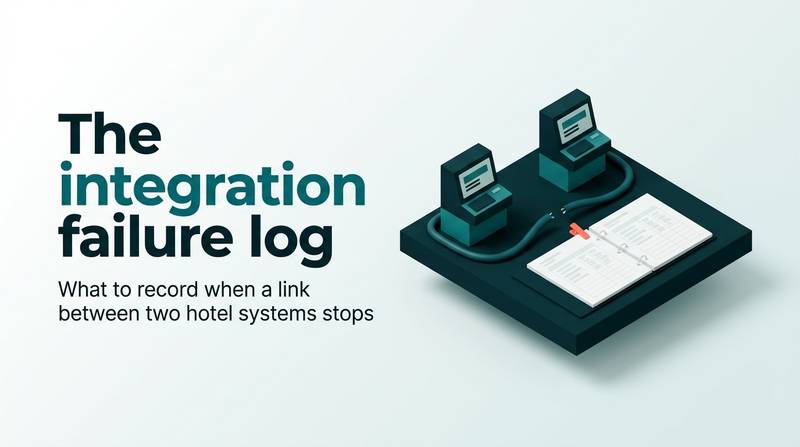
The integration failure log: what to record when a link between two hotel systems stops
A hotel integration failure log turns a broken link into an actionable ticket. Learn the six fields to record, the manual workarounds, and the reconciliation steps to find lost or double bookings.
AI draft · awaiting editorial review
Contents
Key takeaways
- A failure log is written during the outage, not after it: the last good moment cannot be reconstructed from memory the next morning.
- The most valuable line is the last moment the data was known good, because it sets the exact window you must reconcile when the link returns.
- Every link needs a manual workaround agreed before the outage, so the front desk does not invent one at 23:00.
- The first message to a vendor carries the same six fields as the log, plus what you have already ruled out.
- Recovery is not the end of the incident: the channel, the property system and the paper sheet must agree before the log is closed.
An integration failure log is a one-page record of a broken link between two hotel systems: when it was noticed, which link failed, what it affected, the last moment the data was known good, the manual workaround used, and when it was restored. It turns a phone call into a ticket a vendor can act on.
The channel manager stops delivering reservations at 23:40, and the night auditor notices at 01:00. He calls the vendor and says the system is down; the vendor asks which system, since when, and what the last reservation was, and nobody can answer. Every hotel that runs more than one system has had a version of this night. After reading this article you will have a hotel integration failure log you can print today, a ranked list of the links that matter most, and a reconciliation method that finds lost and double bookings before a guest finds them for you.
What should a hotel record when an integration stops?
Six lines, on one page, filled in while the link is still down: time noticed, which link, what was affected, the last good moment, the manual workaround, and the recovery.
The six lines
Time noticed means the date, the clock time, the time zone and who noticed it, and how: a guest at the desk, a booking that never appeared, a report that looked wrong. Name both systems and the direction of the flow, because "the interface" is not a link. Rates going out to the channels and reservations coming in are two different incidents with two different owners.
State the scope: one rate plan, one room type, one outlet, one terminal, or everything. A link that fails for a single rate plan is a smaller incident than one that fails for the whole property, and the log should say which.
The last good moment is the last timestamp at which data is known to have crossed correctly, read from the receiving system, not remembered. It is the single line that decides how much work the recovery will take. Record the manual workaround from its start time, with the name of the person doing it, so the paper trail can be matched later. Close with the recovery line: the time the link came back, the cause as the vendor states it, and what was changed to fix it.
Checklist
- Time noticed: date, clock time, time zone, who noticed and how
- Link: both systems named, plus the direction of the flow (rates out, reservations in, charges to the fiscal device)
- Affected: room types, rate plans, outlets, or a single terminal
- Last good moment: the last timestamp at which data is known to have crossed correctly, read from the receiving system
- Manual workaround: what staff did instead, from what time, and who did it
- Recovery: time restored, the cause as the vendor states it, what was changed
Where the log lives
Keep the log in one shared place that the front office, revenue and IT can all write to. A notebook behind the desk is not a log, because nobody outside that shift can read it. A shared document with one page per incident works, and the page numbering gives you the count at the monthly review for free.
Which links between hotel systems matter most?
Rank them by what stops when they break, not by how technical they are: reservations in, rates out, payments, keys, and the documents the stay produces.
Reservations in, meaning the channel manager or booking engine to the property management system (PMS), is deceptive: availability on the online travel agencies (OTAs) still looks correct while nothing reaches the desk. Rates and availability out fails more quietly, as a rate change made at 09:00 that is still not visible at 15:00, or a stop-sell that did not take. Payments, keys and documents each have their own symptom, described in the table below.
| Link | What stops | First visible symptom | Who owns the fix |
|---|---|---|---|
| Channel manager or booking engine to PMS | New reservations | Channel availability looks normal, nothing reaches the desk | Hotel's channel software vendor |
| PMS to channels | Rates, availability, stop-sells | A morning rate change is still not visible in the afternoon | Hotel's channel software vendor |
| PMS to virtual POS or card terminal | Card payments and charges | Authorization at the bank with no charge on the guest bill | Bank or payment provider |
| PMS to door-lock encoder | Key cards | A checked-in guest cannot enter the room | Lock vendor |
| PMS to e-invoice integrator | e-Fatura and e-Arşiv documents | A bill is closed but no document leaves | Licensed integrator |
| PMS to KBS flow | Guest identity notifications | Check-in completes, notification does not go | Hotel's software vendor |
| Restaurant point of sale to PMS | Charges to the guest bill | A restaurant bill never appears on the room account | Hotel's software vendor |
For every link, write down who owns the fix: the hotel, its software vendor, the bank, the lock vendor or the licensed e-invoice integrator. Escalation goes to the owner, not to whoever answers the phone first. The restaurant link deserves a note: a bill that never lands on the room account is found days later, so it needs a weekly check rather than a live alarm. If you want the background on how these connections work, read hotel PMS integrations explained: APIs in plain words.
What should staff do by hand while the link is down?
Do the smallest manual action that keeps the hotel selling correctly, write down every manual action, and stop selling what you can no longer control.
For reservations in, take the booking by phone or at the desk and write it on a numbered paper sheet with guest name, arrival, nights, room type, rate, source and the person who took it. Give the guest a written confirmation you can match later. For rates out, if you cannot publish a stop-sell, close the affected room types on the channels you can still reach, or cut the allotment. Never leave a room type open on a channel while you are also selling it at the desk.
For payments, record the authorization reference and the amount on the guest bill by hand. A card payment without a reference you can match to the bank statement is a payment you cannot prove. For keys, issue a mechanical key or a manually encoded card, and write the room number and the time on the same sheet, so the lock vendor can be told exactly which doors were opened outside the system. For documents, keep the bill open, or issue the document through the fallback your accountant has agreed in advance. Do not invent a numbering sequence to keep the desk moving.
One person owns the paper sheet per shift, and it is signed at handover. Two people writing two sheets is how a booking gets lost between them. A fuller paper routine for a total system outage is in a front desk kit for check-in, billing and keys on paper.
Watch outThe double-booking trap
A booking taken on paper and later re-keyed into the PMS while the channel also delivers the same reservation creates a duplicate. The guest is charged twice, or the room is sold twice and one arrival is walked to another property. The fix is procedural: paper bookings are re-keyed only after the reconciliation in the recovery step, and every re-keyed booking is ticked off against the channel list.
What should the first message to the vendor contain?
The same six fields as the log, in writing, in the first message, with what you have already ruled out and the business impact stated in rooms rather than adjectives.
The subject line carries the link name, direction, property and the time it stopped. It costs ten seconds and it is the reason the ticket can be found three weeks later. The body carries the six log lines, the exact error text copied rather than described, a screenshot with a visible timestamp, and the record or reservation number that failed.
The part that saves a day of questions is what you ruled out: the internet connection is up, other links on the same system work, no credentials changed, nothing was updated on your side. State the business impact in countable terms: which room types are affected, how many manual bookings have been taken so far, and whether the hotel is still selling those rooms at all. End with two questions: a ticket number with a named owner, and what the vendor needs from you to start work.
Send it in writing even when you also phone. The call is for speed, the message is for the record, and the record is what you will read at the monthly review. Never send "the interface is not working" with no time and no example: it moves the diagnosis back to you, one round trip at a time.
TipThe first message, in order
Line 1: link and direction. Line 2: time noticed, with time zone. Line 3: affected room types, rate plans or outlets. Line 4: last good moment, with the source of that timestamp. Line 5: what we did by hand, from what time. Line 6: exact error text and one failed record number. Line 7: what we have already ruled out. Line 8: what we need, a ticket number, a named owner and the next update time.
How do you check for lost or double bookings after the link comes back?
Match three lists before you close the log: what the channel says it sold, what the PMS now holds, and what your staff wrote on paper.
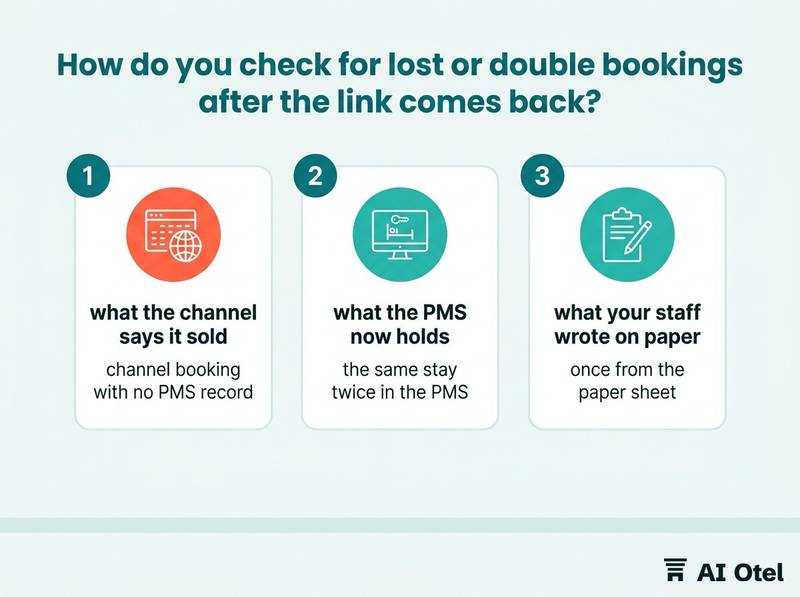
Build the lists for the outage window starting at the last good moment, not at the time someone noticed. The gap between those two times is where the silent losses sit. Match on arrival date plus nights plus guest surname, not on confirmation number alone, because a booking re-keyed by hand gets a new number and will never match on the old one.
Lost means a channel booking with no PMS record. Double means the same stay twice in the PMS, once from the paper sheet and once from the channel. Check the rate side too: rate changes and stop-sells made during the outage that never published, and manual stop-sells still in place that are now blocking sales you could take. Check cancellations and modifications: a cancellation that arrived during the outage is the easiest one to miss and the most expensive to discover at the door.
Checklist
- Fix the outage window from the last good moment to the time the link returned
- Export the channel's bookings for that window
- Export the PMS reservations created in that window
- Collect the paper sheets for every shift inside the window
- Match on arrival date, nights and surname; mark each stay as matched, lost or double
- Resolve each lost and double case, remove manual stop-sells, and record the count and the resolution in the log
The incident is not closed until the three lists agree, and the person who closes it signs the line.
What does a monthly review of the log tell you?
Which link fails most, how long detection and repair each take, and whether the manual workaround held: three things a vendor conversation needs and a memory cannot supply.
Count incidents by link, not in total. One link failing five times is a different problem from five links failing once, and only the first one is worth a formal conversation. Separate time to detect from time to repair: most of the loss usually sits in detection, and detection is the part the hotel controls through its own checks.
Flag repeats: the same link failing again shortly after a fix means the cause was not found, whatever the ticket said when it was closed. After a repeat, ask for a written root cause and file the answer next to the incident. That paragraph is what you read before renewing a contract.
Review the log with the front office and revenue, not only with IT, because they pay for the workaround in manual hours and in rooms sold at the wrong rate. Feed it into the wider request queue, as described in a simple IT help log for a hotel, and keep the log for at least a year. It is the only evidence you hold when the vendor changes, the contract renews, or a new system is being chosen; a hotel IT inventory and network map is the natural companion, because it names the links the log refers to.
What to do next
Write the six lines as a template today, before the next failure, and name the owner and the manual workaround for reservations, payments and keys. The parts fit together as one loop: the log records the incident while it happens, the three-list reconciliation closes it, and the monthly review turns it into a written conversation with the vendor instead of another phone call.
Frequently asked questions
What is the difference between an integration failure log and an IT help log?
The failure log is one page per incident about a link between two systems, and it carries two things a help log does not: the last good moment and the reconciliation after recovery. The IT help log is the wider queue of requests and recurring problems. Keep both, and put the failure log's ticket number in the help log so the two can be read together.
What if nobody knows the last good moment?
Bracket it instead of guessing. Record the last time someone confirmed that data crossed correctly, and the first time someone confirmed that it did not, then reconcile the whole bracket. The bracket is wider than the truth, which costs extra checking but never misses a booking.
Who should fill in the log, IT or the front desk?
Whoever notices writes the first three lines, because those are about time, link and scope. IT adds the technical lines and the vendor exchange. One named person closes the log after reconciliation and signs it, so the incident has an owner from the first minute to the last.
Does a small hotel need an integration failure log?
Yes, in a shorter form. A small property can start with three links, reservations in, payments and keys, and one page with the same six lines. The value is not the paperwork: it is that the person on duty at night has something to write down that the morning shift can act on.