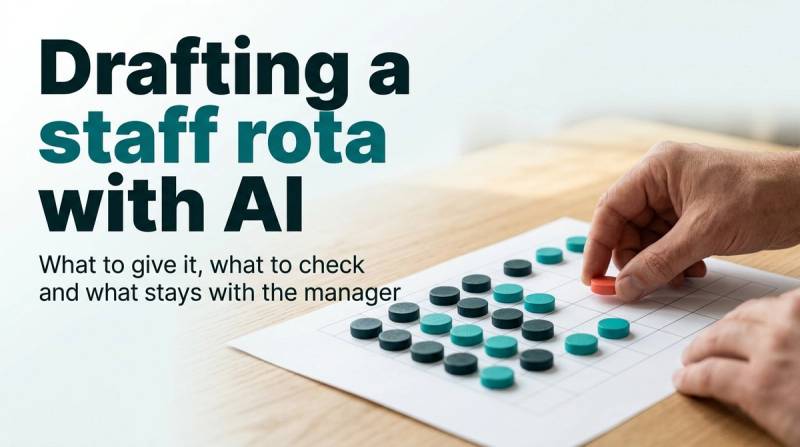
Drafting a staff rota with AI: what to give it, what to check and what stays with the manager
An AI chat tool can draft a hotel staff rota in seconds, but it cannot know your people or rules. Learn what to provide, the four checks to run, and why the manager must approve the final schedule.
AI draft · awaiting editorial review
Contents
Key takeaways
- A rota draft is a proposal, not a schedule: the tool arranges what you typed, and it will fill a gap with a plausible name unless you tell it to mark gaps instead.
- Give the tool the shift needs, your own written rules, and first names with roles and fixed days off; nothing else is needed to draft a grid.
- Check four things before publishing: coverage against the need, rest between shifts, skills on each shift, and fairness across the month.
- Pay, identity numbers, health notes and performance comments never go into the prompt, because the rota does not need them and the conversation is stored somewhere you do not control.
- Record who approved the rota and what changed from the draft, so the manager's judgment is visible and the tool's repeated mistakes are traceable.
A staff rota is the weekly grid of who works which shift. An AI chat tool can turn your shift needs, rules and first names into a draft in seconds; it cannot know your people, leave or skills. Check coverage, rest, skills and fairness, and let the manager approve the final rota.
The draft comes back in seconds, neatly formatted, every cell filled. Then you notice that the person who finished the night shift on Saturday is on the early shift on Sunday, and that one of the names does not work at your hotel. This article shows what an AI hotel staff rota draft can and cannot do, exactly what to type before you ask for one, the four checks to run before publishing, and why the final rota stays a management decision with a paper trail. It builds on the basics of hotel shift planning across the desk, the floors and the nights.
What can an AI chat tool do with a staff rota, and where does it fail?
It can arrange the names and rules you give it into a clean weekly grid very quickly. It cannot check that the grid is true, because it only knows what is in the prompt.
What it does well is clerical work. It turns a messy list of names, roles and shift needs into a table, counts heads per shift, rewrites the same grid in another layout or language, and proposes a swap when you describe a change. For a department head who currently builds the grid by hand in a spreadsheet, that alone saves real time.
What it does badly is everything that lives in your head rather than in the prompt. It does not know who is on leave, who is a new starter, who holds the food safety certificate, or who agreed with you not to work nights. It produces a complete-looking grid because a complete grid is what a text tool produces. The failures to expect are specific: a name placed twice in one day, a fixed day off quietly moved, a night shift followed by an early, a person who left last month still on the grid, and a shift with one person where you asked for two.
The reason is mechanical. A rota is a constraint problem, and the tool satisfies the constraints you wrote down while ignoring the ones you kept in your head. It is not being careless; it is being literal. The useful habit that follows: ask for the draft plus a list of rules it could not satisfy, so gaps come to you as marked gaps instead of hidden guesses.
What stays human is everything that is about people rather than arithmetic. Who gets the weekend off after three weekends worked is a judgment about fairness and morale, not a puzzle to be solved.
Key pointA draft is a first pass, not a schedule
A rota draft is a first pass at the grid. It becomes a schedule only when a person has read it line by line and signed it.
What should you give the AI before it drafts a rota?
Four things: the shifts and how many people each needs, your own written rules, the people with their roles and fixed days off, and the output format you want.
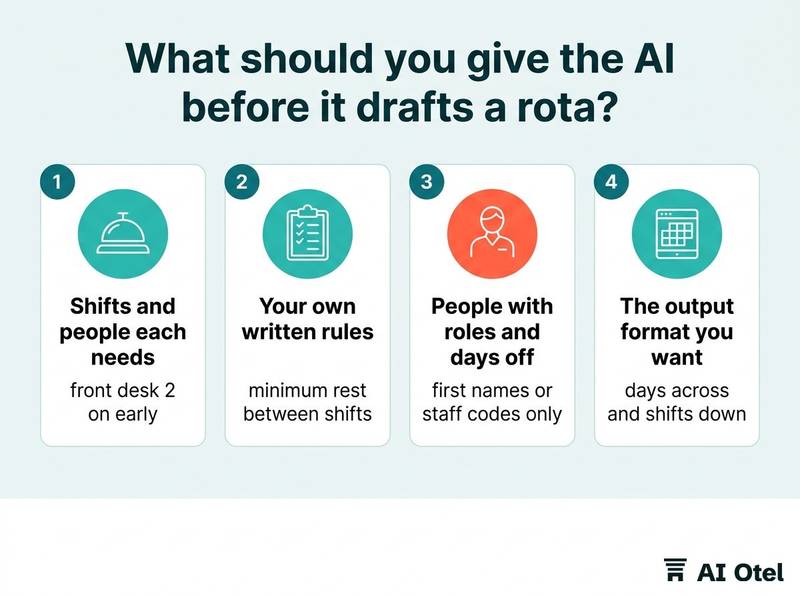
Start with the need per shift per day, as numbers. For example, front desk 2 on early, 2 on late and 1 on night; housekeeping 6 on a normal day and 9 on a heavy turnover day. This is an illustrative example, not a benchmark; your own numbers come from your own operation. Attach skills to names: who can run the night audit alone, who covers which language at the desk, who is trained on the pool and the spa.
Then the fixed points: approved leave, fixed days off, study days, the person who only works weekends, the person returning from a long absence. Then your own written rules, numbered: minimum rest between shifts, maximum consecutive days, no lone night for a new starter, one experienced person on every shift. These are the hotel's rules, written once and reused every week.
Give first names or staff codes only, each with a role. No surnames, no identity numbers, no phone numbers, no pay, no health notes, no performance comments. Finally, state the output you want: a table with days across and shifts down, the word GAP in any cell it cannot fill, and a short list of rules it could not satisfy. Add what it must not do: invent a person, move a fixed day off, or split a shift unless one of your rules allows it.
ChecklistBefore you open the chat window, have all of this ready
- The week, and each shift with its start, end and headcount
- Your numbered rules, including rest and consecutive days
- Each person as a first name or code, with role, skills, fixed days off and approved leave
- The output format, with GAP marking for cells it cannot fill
- The instruction to list unsatisfied rules
- Nothing else: no surnames, identity numbers, pay, health notes or performance comments
What does a rota prompt that works look like?
It reads like a brief to a new supervisor: the grid, the rules, the people, the format, and an instruction to show its working and mark the gaps.
The weak prompt is one line: make a rota for the front desk next week. What comes back is a plausible grid with invented names or shifts that do not exist at your hotel. The strong prompt has five blocks, and the table below shows what each one carries. If you want a method for writing this kind of brief in general, see writing prompts for hotel work with a simple method.
| Prompt block | What it contains | Why it matters |
|---|---|---|
| Period and shifts | The week, each shift with start and end, the headcount it needs | The tool cannot guess how many people a Saturday breakfast needs |
| Rules, numbered | Rest between shifts, maximum consecutive days, one experienced person per shift | Numbered rules can be reused and corrected week by week |
| People | First name or code, role, skills, fixed days off, approved leave | This is the whole of what the tool may know about a person |
| Output format | Table with days across and shifts down, GAP in any cell it cannot fill | A marked gap is information; an invented name is a mistake you may miss |
| Show the working | One line per day naming the rule behind each placement, plus unsatisfied rules | You can only check a decision you can see |
Two instructions inside that brief do most of the work. First, ask for one line of reasoning per day, naming the rule that decided each placement; a decision you can see is a decision you can check in seconds. Second, ask the tool to keep a fixed day off fixed even when the shift goes short, and to report the shortfall rather than solve it by moving someone.
When the draft is wrong, iterate by adding rules, not by saying fix it. "Rule 7, nobody works a night and then an early the next day" is reusable next week; "fix Sunday" is not. Keep the prompt in a document. Next week you paste the same brief and change only the dates, the leave list and the demand notes.
What must you check before you publish the rota?
Coverage, rest, skills and fairness, in that order, then the exceptions that only a person at the hotel knows.
Coverage first: count heads per shift per day against the need you wrote yourself. The tool's own count is not the check; your count is. Rest second: read the grid down each person's column, not across the days. A late shift followed by an early one is the classic miss, and it is invisible if you read row by row.
Skills third: confirm that the skill each shift needs is actually on that shift. The tool placed names; it did not verify who holds what. Fairness fourth: count nights, weekends and split shifts per person across the month. A grid can be fully covered and still give one person every Saturday.
Then the exceptions: new starters, agreed lighter weeks, return-to-work arrangements, a temporary restriction you agreed with a team member. None of these appear in any prompt unless you put them there, and some should never be typed into a chat tool at all.
The check is short and identical every week. For example, ten minutes with the printed grid and a pen before you publish, which is an illustration of a habit rather than a measured figure. Every change you make by hand goes back into the numbered rules, so next week's draft starts closer to right.
ChecklistBefore publishing
- Count heads per shift per day against the need you wrote
- Read each person's column for rest between shifts
- Confirm the skill each shift needs is on that shift
- Count nights, weekends and split shifts per person across the month
- Check the exceptions only a person knows, such as new starters and agreed lighter weeks
- Write every hand change back into the rules list
Why do personal data and pay stay out of the prompt?
Because a rota needs availability and skills, not identities, and whatever you type into a chat tool leaves the building.
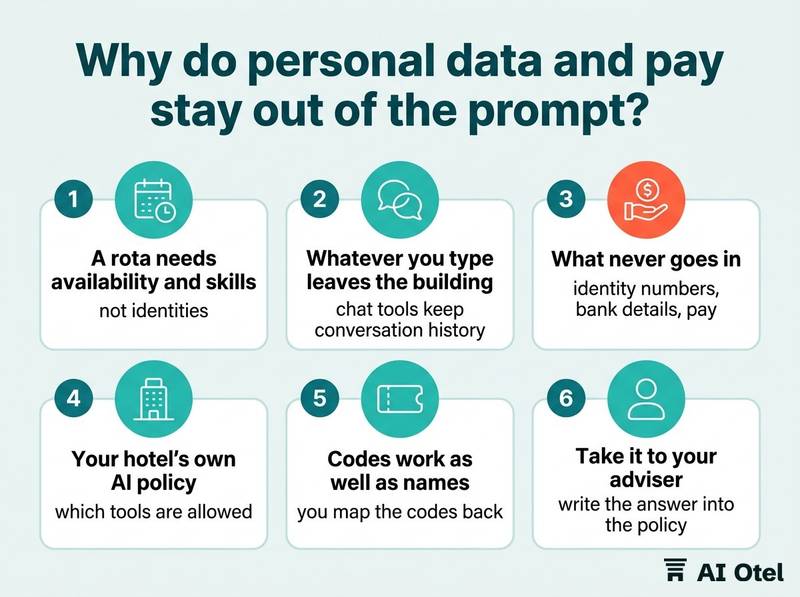
The minimum that works is a first name or a staff code, a role, availability and fixed days off. That is enough to draft a grid. What never goes in: identity numbers, home addresses, phone numbers, bank details, pay, health information, disciplinary notes, or a guest complaint about a named person. None of it helps the tool place a person on a Tuesday, and all of it creates risk.
Chat tools keep conversation history. Plan as if the prompt will be stored somewhere you do not control and read later by someone you have not met. Read the provider's terms for whether your inputs are used to improve the service and how long they are kept. If you cannot tell from the terms, do not put the data in.
Your hotel's own AI policy should say which tools are allowed, what may be typed into them and who may type it. If no such page exists, write one before the first rota prompt; a starting point is a hotel AI policy for what staff may share with chat tools. Codes work as well as names: "A1, front desk, night-capable" drafts just as accurately, and you map the codes back to people at the desk. Where your own case needs a decision, on retention, transfers or telling staff, take it to your data protection adviser once and write the answer into the policy.
Watch outThe prompt becomes a record
A rota prompt that includes pay, identity numbers or health notes turns a scheduling exercise into a personal data record you never planned to keep.
Who approves the rota, and what do you keep on file?
The manager approves it, and the file should show the draft, the final rota, who signed it and what changed between the two.
The draft is a proposal. The manager's name on the published rota is the approval, and that is the line between a tool that arranges names and a person who answers for the week. Keep the draft and the final side by side for a few weeks. The difference is the list of rules the tool keeps missing, and it is the best material you have for improving the prompt.
Record the date, who approved, the changes made by hand, and any rule that was waived that week and why. Tell the team how the rota was made. Staff accept a tool that drafts and a person who decides; they resist a grid that appears without explanation. Mid-week changes go through the same check even when they look small, because a swap is exactly where rest and skills break.
Reusing last week's draft
Reuse the brief and the numbered rules, never the answer. Demand, leave and people change every week, and a grid copied forward carries last week's absences and this week's conflicts in one file. The same discipline applies to the notes around the rota: shift logs and handover notes turned into an action list work the same way, the source is reused, the output is rebuilt.
NoteKeep the paper trail
The rota is a management decision with a paper trail: draft, final, approver, changes. Keep it where the next manager can find it.
What to do next
Write the brief once, keep it in a document, and run the same check every week: the tool drafts, the manager decides, and the file shows both. Start with next week's rota. Write the five prompt blocks, run the check on the draft, and keep the two versions side by side so you can see what the tool keeps getting wrong. Rota drafting stays your own process, outside the hotel software. To see how front desk, housekeeping and compliance sit in one system, read about a hotel operating system, built and working ahead of launch, or the platform it belongs to.
Frequently asked questions
Can I use a chat tool for a rota if I have never written a prompt before?
Yes, and the first attempt will be wrong in visible ways, which is useful. Start with the five blocks: period and shifts, numbered rules, people with roles and fixed days off, output format, show the working. Add one rule each week from the mistakes you find. The method matters more than the wording.
Should the rota prompt use staff names or codes?
Either works for drafting. Codes are safer because the conversation may be stored outside your control, and a code tells the tool nothing about a person. Keep the mapping from code to person in your own file, never in the prompt, and never use identity numbers.
What if the AI draft looks better balanced than the rota I write myself?
It can be better on counts, because counting is what it does well. Balance on paper is not the same as fairness felt by the team: check nights, weekends and split shifts per person across the month, and ask the people affected. The manager still decides and still signs.
Can the AI handle a sick call and a last-minute swap?
It can re-draft quickly if you give it the new constraint, for example that one person is unavailable from Thursday. The check still applies, because a swap changes rest and skills, and the change should be recorded like any other. Do not publish a swap you have not read down the affected columns.
Do I have to tell staff that a tool drafted the rota?
Treat it as good practice, not paperwork. Staff accept a grid that a tool drafted and a manager checked; they resist one that appears unexplained. Say who approved it and how changes are made, and keep the manager as the named person who answers for the week.