QR tags on hotel equipment: a quick way for staff to report a fault
QR tags help hotel staff report equipment faults quickly by linking reports to specific assets. Learn how to tag items, design fault forms, and use history to decide repair or replace.
AI draft · awaiting editorial review
Contents
Key takeaways
- Tag the item, not the room: a tag that names one machine gives the technician the model, the location and the history before anyone walks to the floor.
- A fault form should ask for four things at most: what is wrong, how urgent it is, a photo, and who is reporting.
- The tag earns its keep through the history behind it: the same item's past faults turn repair-or-replace from an argument into a decision.
- Labels fail in wet, hot and greasy places, so place them where a standing person can reach them and a cloth will not scrub them.
- Keep a paper route for the day the label is torn, the phone is flat or the network is down.
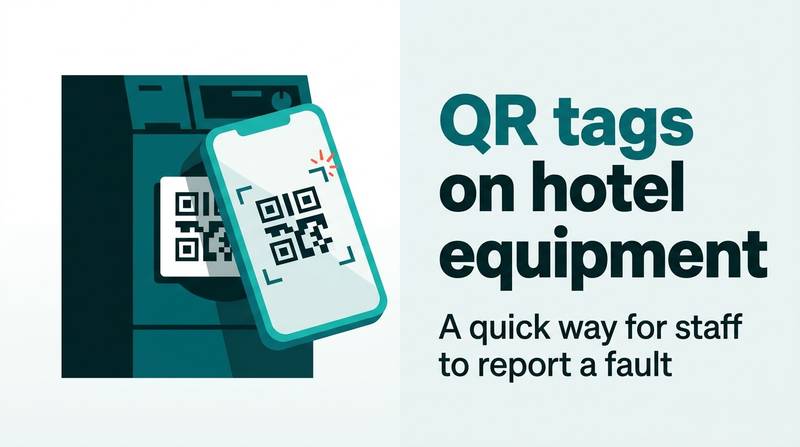
A QR equipment tag is a printed square fixed to a machine or fixture that opens a short fault form already filled with that item's name, location and asset number. Staff scan, add a photo and a sentence, and send. The report reaches the technical service queue with the right item attached.
The call reaches the technical service desk as "the air conditioner in 412 is making a noise again". Nobody knows which unit, which model, or what was replaced last time, so a technician walks to the floor to find out, and the fault is described from scratch for the third time this summer. QR code equipment maintenance for hotels starts exactly here: not with smarter machines, but with reports that name the machine. After reading this you will know what to tag first, what the form should ask, how to place the labels so they survive, and how to use the resulting history to decide repair or replace.
What is a QR equipment tag and what does it open?
A QR equipment tag is a printed label carrying a square code that opens one short form on a phone, already filled with the item it is stuck to. It is not an app and not a sensor: the staff member's phone does the work.
The code holds a plain web address, so the phone's own camera opens it and nothing is installed on the device. The address carries the item's identifier, so the form arrives with the asset number, item name, exact location and model already in place, and the reporter types only what is wrong.
It replaces the phone call that says "the machine in the back is broken", the photo sent with no context, and the notebook kept at the desk. It does not detect faults, does not schedule maintenance by itself, and does not replace the technician's judgment about the repair.
The tag is only as good as the list behind it. One identifier must point to one physical unit, matching the hotel's fixed asset list, so two identical fridges are never confused. It is the same technology as a QR code on a guest menu or a linen trolley, doing a different job: identifying a piece of equipment rather than opening a page or counting stock.
Which hotel equipment should you tag first?
Start with the items that fail often, cost the most downtime, or are hardest to describe over the phone. Ten unit types cover most of the daily calls in a typical hotel.
Rank candidates by three questions: how often the item fails, what an hour of its downtime costs, and how hard it is to identify from a verbal description. Tag by unit, not by room: a room with four tagged units gives four clean histories, while one tag for the room gives a single blurred one.
Include back-of-house plant that staff report by name: laundry machines, kitchen refrigeration, dishwashers, ice machines and pool or boiler equipment. Leave small loose items out at the start: remote controls, hangers and kettles that are replaced rather than repaired add noise without history.
Number every tag from the fixed asset list, so the label, the accounting record and the repair history all use the same identifier. Expand by category, not by floor: finish one category completely before starting the next, or the comparison between items becomes meaningless. If you do not yet have a reliable count of what you own, start with a hotel fixed asset list by room, lobby and kitchen and take the tag numbers from it.
| Item group | Why it comes first | What the tag must carry |
|---|---|---|
| Split and fan-coil air conditioners | Fail often, hard to tell apart by phone | Asset number, model, exact location |
| Minibar fridges | Faults hit the guest directly | Asset number, room |
| Televisions | Guests report them instantly | Asset number, model, room |
| Shower and tap mixers | Water damage grows by the hour | Asset number, room |
| Cisterns and flush valves | Frequent, urgent, hard to describe | Asset number, room |
| Door locks and closers | Security and noise complaints | Asset number, door |
| In-room safes | Guest stress, repeated calls | Asset number, room |
| Kettles and hair dryers | High call volume | Asset number, room |
| Laundry and kitchen machines | Expensive downtime | Asset number, machine, outlet |
| Pool and boiler plant | Whole-building impact | Asset number, plant room |
What should the fault form ask?
Four fields and one photo. Every extra field lowers the number of reports that actually get sent, and a report never sent is worse than no system at all.
Required fields: what is wrong (free text plus a short list of common faults for that item type), urgency in three levels, a photo, and the reporter's name or department. Pre-filled and read-only: asset number, item name, exact location, and model or serial number where the hotel holds it.
Two optional additions earn their place: a tick box for "item out of service", and a voice note for staff who find typing on a phone slow. Define the three urgency levels in writing with one example each, or within a month everything arrives marked urgent and the levels stop meaning anything.
Do not ask the reporter to pick a technician, a cost code or a repair type. That is the desk's decision, and asking it slows the person on the floor. Keep the form to one screen, with the send button visible without scrolling on a small phone, and test it on the oldest handset the team carries.
ChecklistForm field checklist
- Item name (pre-filled)
- Asset number (pre-filled)
- Exact location (pre-filled)
- What is wrong (required)
- Urgency, three levels (required)
- Photo (required)
- Reporter name or department (required)
- Out of service tick box (optional)
- Voice note (optional)
- Send button visible without scrolling
Who receives the report, and how fast should it be opened?
One queue, one owner, and a written target for the first look. A report that sits unopened teaches staff to stop reporting, and the tags come off within a season.
Route every report to a single technical service queue rather than to an individual's phone, and name a duty person who owns that queue on each shift. Set two separate targets per urgency level: time to acknowledge (the report has been seen and triaged) and time to attend (someone is standing at the item).
Escalation needs a rule: when the acknowledgement target passes, the report moves to the chief engineer or duty manager, either automatically or at a fixed morning check. Close the loop with the reporter in one line when the job is done; this single message is what keeps the habit alive on the floors.
Let the front desk see the same status, so a guest asking "when will it be fixed" gets an answer without anyone calling the workshop. And keep the distinction clear: a report is not a work order. It becomes a job with an owner, parts, a closing note and, where relevant, a cost, as covered in the flow from a guest complaint to a closed job.
TipWrite the two targets down and post them at the desk
For example, acknowledge a guest-facing fault within 15 minutes and attend within 60, and acknowledge a no-guest-impact fault by the next shift. The numbers are the hotel's own choice; the point is that they exist in writing and are reviewed monthly.
How do you print, place and protect the labels?
Print on a material that survives the place the label will live, and fix it where a standing person can reach it without moving anything.
Material first: polyester or vinyl labels with a laminate for dry areas, and a rigid engraved plate for wet, hot or greasy places. Office paper under clear tape fails in steam within weeks. Size matters too: the square must be large enough for a phone camera to lock on from 20 to 30 cm, which for most handsets means roughly 3 to 4 cm.
Place the label on the unit's fixed casing, never on a removable panel, a door that opens, or a surface that gets scrubbed or wiped with solvent. Print the asset number and a short item name in plain text beside the code, so a scratched or torn label can still be read and replaced correctly.
Fixing depends on the surface: industrial adhesive or a screw-fixed plate on casings, cable ties on frames and pipes, and always a check that nothing hot or moving sits behind the label. Record in the asset list where each label was placed, so a missing label is noticed at the next round rather than at the next breakdown. The same printing discipline applies to stock areas, as with barcode and QR labels for hotel stores and linen.
Watch outWalk the route before fixing anything
A label placed on a minibar door, a laundry machine door or a panel the technician removes will be gone within months, and a label on a steam pipe or above a deep fryer will not scan at all. Walk the route with the person who cleans and services the item before fixing anything.
How does the history help you decide repair or replace?
When the same item appears three or four times in a season for the same fault, the question stops being who fixes it and becomes whether to keep it.
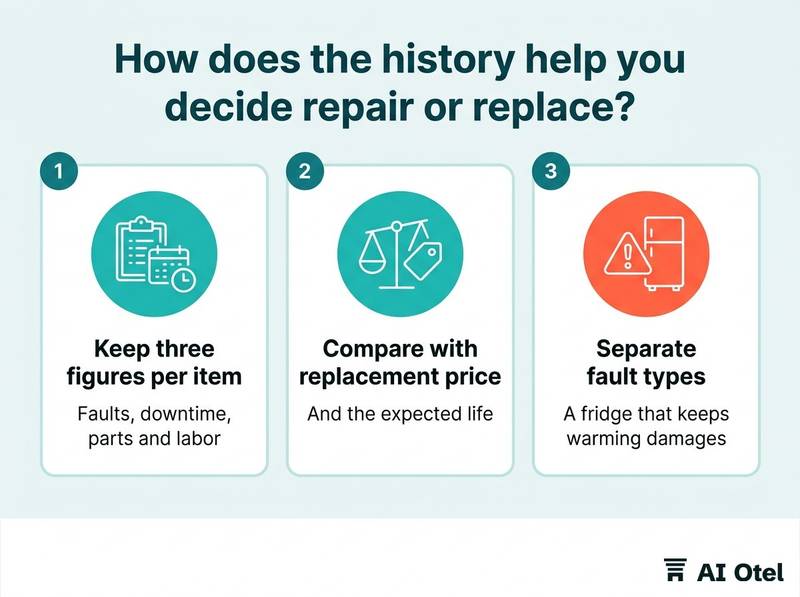
Keep three figures per item: number of faults, total downtime, and total cost of parts and labor taken from invoices rather than estimates. Compare that cost with the replacement price and the expected life of the unit. A working rule: repeated repairs approaching a large share of replacement cost within a year is the signal to plan the swap.
Separate fault types when you read the history. A fridge that keeps warming damages the room's reputation far more than a fan that is slightly noisy, even at equal cost. Use the history in the capital plan: the ten worst items by downtime make a better budget argument than a general request for renewal.
Watch the tag's own bias: tagged items get counted and untagged ones do not, so finish a whole category before comparing items against each other. And retire the label with the item: record the replacement as a new asset, or the new machine inherits the old one's history and looks worse than it is.
Key pointDecision rule
For each item, divide the last twelve months of repair cost by the replacement cost. Below a quarter, keep repairing. Between a quarter and a half, put the item on next year's replacement list. Above half, or with two or more guest-facing failures in the same season, replace it and stop counting.
What is the paper fallback when the tag fails?
Every tag system needs a second route that works when the label is torn, the phone is flat, the network is down, or the staff member does not carry a phone at all.
Keep a short printed pad at the technical service desk and in each floor pantry, with the same fields as the digital form, asset number included. Print the duty technician's name and number on the label itself, under the code, so the fallback is visible at the moment of failure.
Reconcile daily: paper forms are entered into the same queue the same day, so the item's history stays complete and comparable. Decide in writing who reports for teams that carry no phones, for example through the housekeeping supervisor's device or the paper pad.
Test the fallback once a season with a real fault; a fallback nobody has used is not a fallback. Train at the shift handover: ten minutes, one scan demonstrated, one paper form filled in by each person. The same floor-team discipline sits behind digital checklists for floor staff, which can carry the same forms once the paper habit exists.
What to do next
Pick one category, for example minibar fridges. Tag ten units with numbers taken from the fixed asset list, and run the short form through a single queue with a written acknowledgement target for one month. Then read the history before expanding: the tags identify the item, the form captures the fault, the queue and its targets make someone act, and the history turns the next repair-or-replace decision into arithmetic rather than opinion.
Frequently asked questions
Do staff need to install an app to report a fault by QR code?
No. The code opens a web page in the phone's own camera, so nothing is installed. Whether the hotel requires a sign-in is its own choice: an open form for internal staff on the hotel network lowers the barrier, while a sign-in gives a reliable reporter name. Keep the form to one screen either way.
How many QR tags does a hotel need?
One tag per physical unit that the hotel intends to track, counted from the fixed asset list rather than guessed. Start with a single category and finish it before adding the next, because a half-tagged category cannot be compared item against item.
Can the same QR tags handle guest requests as well as staff fault reports?
The mechanism works for both, but keep the two queues separate. A guest request and a broken boiler have different urgency rules and different owners, and mixing them buries the fault report under towel requests. Use different form addresses and different labels.
What happens when the internet or the phone fails?
The form cannot send, so the report goes onto the paper pad with the same fields, including the asset number printed on the label. It is entered into the same queue the same day, so the item's history stays complete. Test this route once a season rather than assuming it works.
Is a QR tag a maintenance system?
No. It is one input to a maintenance system. The value sits in what happens after the scan: a single queue with a named owner, written acknowledgement and attendance targets per urgency level, a closing note, and a history that supports repair-or-replace decisions.