The listing quality score and the photo order on booking sites: what to fix first
A listing quality score measures page completeness, not hotel quality. Fix facts before photos, match images to rate plans, and audit the page from a guest's view.
AI draft · awaiting editorial review
Contents
Key takeaways
- A quality score measures whether the page is complete and consistent, not whether the hotel deserves to rank higher.
- Facts come before photos: a perfect photo set cannot rescue a page that lists the wrong bed configuration or a missing policy.
- The first photo sells the stay, and the first five answer the questions a guest asks before booking: room, bathroom, exterior, breakfast, view.
- Every rate plan should show the room the guest will actually be given, because a mismatch surfaces at check-in, not at booking.
- Date every change and review the page at 30 days, so the next decision rests on a record instead of a memory.
A listing quality score is the completeness and quality indicator a booking site shows for your property page. Fix it in this order: the facts first (rooms, beds, facilities, policies), then room photos that match each rate plan, then the first photo and the first five, then check the page on a phone and date every change.
A reservations manager opens the extranet, sees a completeness warning beside the property, and has forty new photos with no idea which one goes first. The warning is not the problem; the order of the work is. This article gives you that order: what the score measures, why the facts come before the photos, which photo belongs first, how to walk the page the way a guest sees it, and how to keep the page honest over time.
What does a listing quality score actually measure?
It measures the page, not the hotel: how many of the fields a booking site uses to describe a property are filled, how consistent they are, and how much usable photography backs them up.
The score is built from fields the site already asks for: room types, bed configurations, capacity, facilities, meal arrangements, policies, descriptions and photos. Treat it as a to-do list rather than a verdict. It tells you where the page is thin, not how good the hotel is.
A high score with wrong content is worse than a lower score with correct content, because the guest books on the detail and discovers the error at the desk. Scores are also not comparable across sites: each site counts its own fields, so track your own number on each site over time instead of comparing one site with another.
Ranking is a separate question with its own inputs. A complete page is a precondition, never a lever you pull on its own. For the levers that do exist, see what moves a hotel up the list and what the hotel controls. What the hotel controls here is the fields, the photos, the order, the accuracy and how often someone looks.
Key pointThe score is a checklist, not a ranking
Fix what it points at, then check the page the way a guest sees it. The number follows correct content, not the other way round.
Why should the facts come before the photos?
Because photos are read against the facts: a guest checks the bed count, the meal arrangement and the cancellation rule before deciding whether the pictures are believable.
Start with room types and bed configurations. Name each room type the way the hotel names it internally, with bed setup, room size, view and maximum occupancy. Facilities come next, each as a plain yes with the detail that matters: pool hours and season, spa, parking, elevator, step-free access, airport transfer, pets.
Policies follow: check-in and check-out times, cancellation windows, children and extra beds, what is paid at the desk, and whether taxes and fees are already in the price shown. Write meal arrangements in words rather than leaving them to a board label alone, so the guest knows what is included in the price. Keep descriptions short and factual, in the guest's language, with no adjective the photos cannot support.
The test to apply to every field: could a guest arrive and find nothing on the page contradicted by the building?
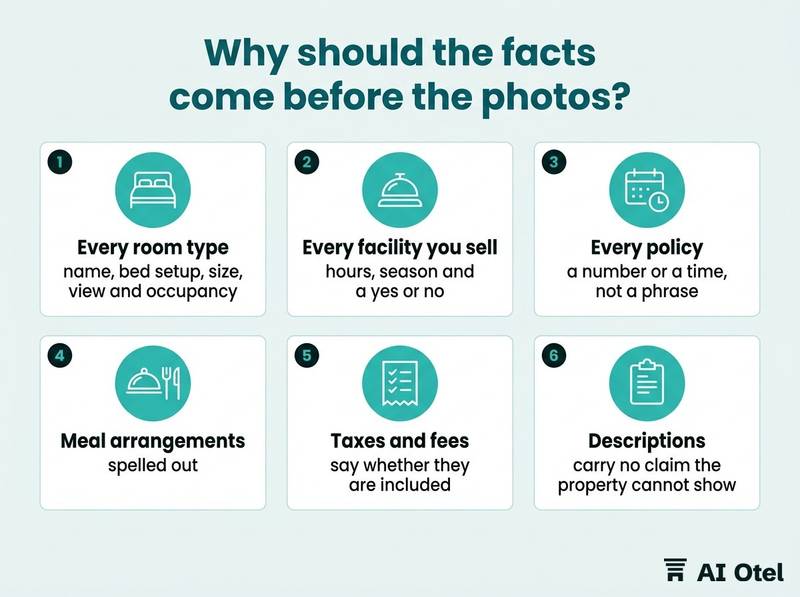
ChecklistFacts-first checklist
- Every room type has a name, bed setup, size, view and occupancy
- Every facility you sell has hours, season and a yes or no
- Every policy has a number or a time, not a phrase
- Meal arrangements are spelled out
- Taxes and fees say whether they are included
- Descriptions carry no claim the property cannot show
Which photo should be first, and what belongs in the first five?
The first photo should show the room the guest is most likely to book, shot the way they will see it, and the next four should answer the questions that stop a booking.
Position one is the lead room type in daylight: made bed, no people, no wide-angle distortion that makes the room look larger than it is. Positions two to five carry the questions guests ask in order: the bathroom, the exterior or pool, breakfast or the restaurant, the view or the street.
| Position | What to show | Why it earns the slot | Common mistake |
|---|---|---|---|
| 1 | Lead room type, daylight | The room the guest is most likely to book; it confirms the price step | A lobby or a drone shot |
| 2 | Bathroom | The second thing guests check; it answers a silent worry | A cropped corner hiding the shower |
| 3 | Exterior or pool | The property as a place; it sets size and setting | A photo from a season when the pool is closed |
| 4 | Breakfast or restaurant | What the morning looks like; it answers the meal question | An empty, unset table |
| 5 | View or neighborhood | What the guest sees opening the curtain; it sells the location honestly | A view from a room type that is not for sale |
Order is a claim about what the hotel sells. A lobby shot in first place tells the guest the hotel is unsure. Keep the same order on the hotel's own website and on every channel, so a guest who saw you in one place recognizes you in another.
Do not show a facility that is closed in the season you are selling, and pull the photo the week it closes. Re-check the order after any renovation, and refresh it at each season change rather than once and never again. For building the set itself, see the shot list and delivery terms for hotel photography.
How do room photos match the rate plan?
Each rate plan points at one room type, and the photos attached to that room type must show the room the guest will be given at that price.
Map every rate plan to exactly one room type before uploading anything. This mapping is the step most often skipped. Standard, deluxe, family and suite each need their own set, even when the rooms look similar on a phone screen. Show the differences that justify the price step: size, view, balcony, bed width, bathroom.
A suite photo on a standard rate buys a booking and produces a complaint at the desk; the cost lands on the front office, not on marketing. Caption each set with the room type name, so the guest and the staff use the same word for the same room. When a room is refurbished, replace its photos in the same week it returns to sale, not at the next seasonal refresh.
Watch outThe photo is a promise
A photo that overstates the room is a promise the front desk has to break. Match the photo to the rate plan, not to the best room in the building.
How do you check the page the way a guest sees it?
Open the page on a phone, on mobile data, in the language of your main source markets, and walk it as a guest would from the search result to the confirmation email.
Check the first screen before any scrolling: first photo, price, room name, review score and the cancellation line, all at once. Use mobile data, not hotel wifi, because image weight and load order decide whether the first photo appears at all. Read the translated page, not the original: facility and policy text is where machine translation goes wrong.
Check the app and the mobile web separately, because the layout and the photo crops differ. Walk the whole path: search result, property page, room selection, checkout, confirmation email. Write down every contradiction between two screens. Do it logged out, on a device you do not use daily, so nothing is remembered for you.
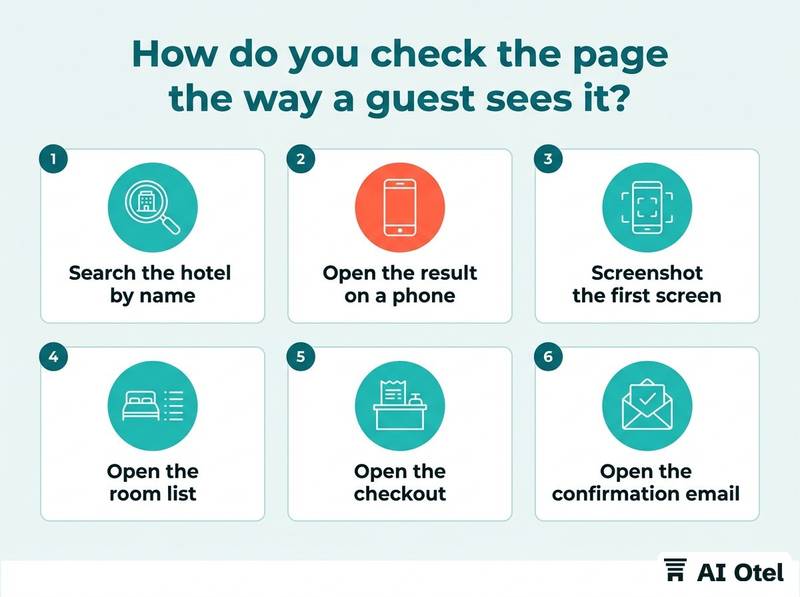
ChecklistGuest-eye walk-through
- Search the hotel by name and by city
- Open the result on a phone on mobile data
- Screenshot the first screen
- Open the room list and match each room to its photos
- Open the checkout and read the policy lines
- Open the confirmation email
- Repeat in one foreign language
- Repeat in the app
- List every contradiction with the property
The same facts and photos belong on the hotel's Google Business Profile, so the guest sees one story before and after they click through.
How do you keep the page honest over time?
Keep one dated change log per property and review the page at 30 days, so the next decision rests on a record rather than a memory.
The log holds five things: date, the field or photo changed, who changed it, why, and where else the same fact lives. One master content sheet for descriptions, facilities and photos feeding every channel stops the page drifting out of sync with the hotel's own website and the other sites. If your property software keeps room data and photos in one place, such as a hotel operating system built and working, ahead of launch, the sheet can start from that single source rather than from memory.
The 30-day review: re-read the page, compare it with the log, and check that the score moved for the reason you expected. Name one owner per site and a deputy, so the page has a person rather than a department. Seasonal triggers: rate season change, renovation, a new outlet, a pool or spa closing. A property system built so that availability and rates to booking sites come from one inventory, with booking sites in pre-production testing, reduces the number of places the same fact can drift, but the log still needs a person behind it.
Do not chase the score for its own sake. Chase the contradictions; the score follows correct content.
TipWrite the log entry before you publish
A log written afterwards records what you remember, not what you did.
What to do next
Open your property page on your own phone today, find the first place where the page and the building disagree, and fix that one thing before touching a single photo. Then start the log with that entry. The order matters: facts, room photos matched to rate plans, the first five images, a guest-eye check, and a dated review at 30 days. Each step makes the next one cheaper.
Frequently asked questions
Does a higher listing quality score mean a better position in the search results?
No. The score reports how complete and consistent the page is; position in the list depends on other inputs the site sets. A complete page is a precondition for competing, not a guarantee. Use the score to find gaps, and treat ranking as a separate question with its own levers.
How many photos should a hotel upload to a booking site?
Enough to cover every room type you sell and every facility a guest might book for, in the order guests ask about them. Accuracy and coverage matter more than volume, and a small honest set beats a large set with one misleading room. Check each site's own guidance for size and crop rules, since those differ.
Should the pool photo or the room photo come first?
The room, unless the property is genuinely sold on a facility that the room price depends on. The guest is booking a bed for the night and checks the room first. If the pool is the reason people come, it belongs in the first five, not necessarily in first place.
How often should the photo order be reviewed?
At every season change, after any renovation, and at the 30-day review that follows a round of changes. Between those, a quarterly read is enough. The point is to catch a photo that has stopped being true, such as a closed pool or a refurbished room.
Can the same photos be used on every channel?
Yes, and using the same set in the same order helps a guest recognize the hotel across sites. Keep the master files and the crop rules for each site in one place, so a re-crop does not become a different photo. Replace the master, then republish everywhere.